How Does Accounting Software Improve Productivity?


Composed by Taxara on
24/11/2026
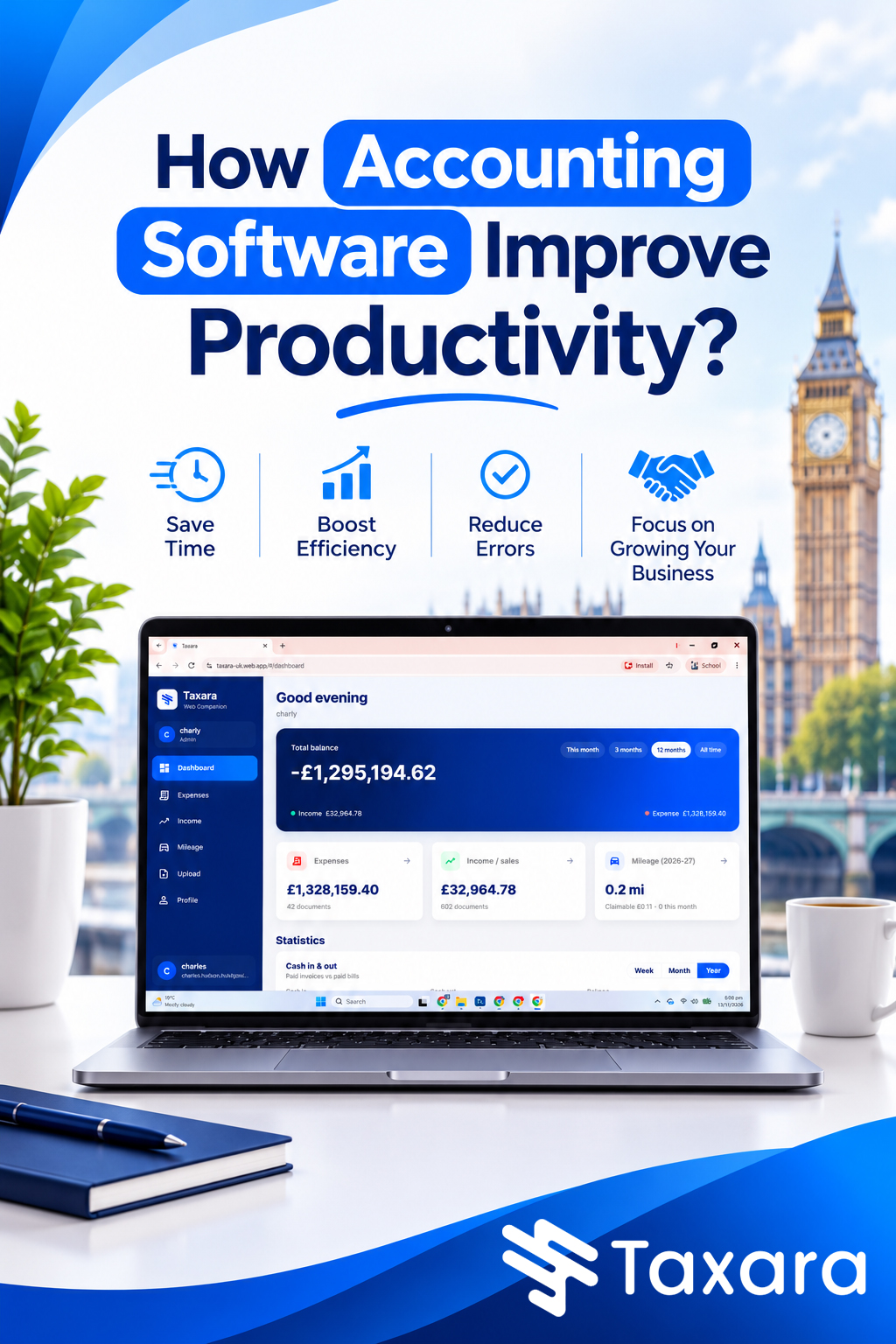
Accounting software improves productivity by taking repetitive financial admin off your plate. It pulls in bank transactions, sorts income and expenses, builds and chases invoices, calculates VAT and produces reports automatically. That means fewer hours on data entry and fixing mistakes, and more time running and growing your business.
For most UK small businesses, bookkeeping is the job that never ends. Receipts pile up, invoices go unpaid, and the VAT return always seems to arrive at the worst moment. Spreadsheets and paper records can cope when you only have a handful of transactions. As the business grows, the same manual approach starts eating into evenings and weekends. If you're new to digital bookkeeping, start with what accounting software is and how many types there are.
This guide explains how accounting software improves productivity for sole traders, freelancers, landlords and small business owners. If you are comparing small business accounting software UK options, it also covers which features matter most and how to measure the difference in your own business.
Why Manual Bookkeeping Holds Productivity Back
Manual bookkeeping is slow because the same information gets handled again and again. A sale is written on an invoice, typed into a spreadsheet, checked against the bank statement, and then re-entered at VAT time. Every extra touch adds time and another chance for error.
The most common productivity drains are:
- Repetitive data entry: keying in the same transaction across invoices, spreadsheets and tax records
- Human error and rework: typos, duplicate entries and wrong formulas that take hours to trace
- Scattered records: receipts in a drawer, invoices in email, bank data in another tab
- Chasing payments: manually tracking who has paid and writing reminder emails
- Slow reporting: rebuilding a profit and loss summary from scratch every month
- Deadline stress: a last-minute scramble before each VAT return or Self Assessment deadline
How Accounting Software Improves Productivity: 12 Key Ways
1. Accounting Software Automates Repetitive Bookkeeping
Automation is the single biggest productivity gain. Instead of typing every transaction, the software imports them, applies your bank rules and sorts each one into the right category. Recurring tasks, such as monthly invoices to retainer clients, can run on a schedule. Our guide on how accounting software works explains this process step by step.
The result is that routine bookkeeping shrinks from hours to minutes, and your attention goes to work that actually earns money.
2. Automatic Income and Expense Tracking Saves Hours Every Week
Accounting software records income and expenses as they happen, so you are never catching up on a backlog. Transactions are categorised automatically, and the software learns your preferences over time. Many tools now use AI-assisted categorisation to suggest the right category before you even look.
You can see at a glance what came in, what went out and where your money is going, without opening a single spreadsheet.
3. Accounting Software Reduces Errors and Rework
Every mistake in manual bookkeeping costs time twice: once to make it and again to find and fix it. Accounting software does the maths for you, flags duplicates and keeps totals consistent across every report. VAT and totals on invoices are calculated automatically.
Fewer errors means fewer evenings spent reconciling numbers that don't match, and fewer awkward conversations with your accountant.
4. Faster Invoicing Gets You Paid Sooner
Creating invoices from saved templates takes seconds. You add your logo and details once, then reuse them for every customer. The software tracks each invoice's status, so you know straight away which ones are paid, viewed or overdue.
Automatic payment reminders do the chasing for you, and payment links let customers pay online. Getting paid faster cuts your debtor days, reduces late payment and protects your cash flow, all without extra admin. Find out more about how accounts receivable software helps businesses collect payments on time.
5. Quicker Bank Reconciliation
Bank reconciliation means checking that your records match your bank statement. Done by hand, it is one of the most tedious jobs in bookkeeping. Accounting software matches transactions to bank entries automatically and highlights only the ones that need a second look.
This turns a monthly half-day job into a quick review, and it catches errors and unusual transactions early.
6. Receipt Capture Ends the Paper Pile
With receipt capture, you snap a photo of a receipt on your phone and the software reads the key details using OCR (optical character recognition). The receipt is stored digitally and matched to the right transaction.
There is no more hunting through drawers at year end, and every expense claim has its evidence attached.
7. Simpler Tax and MTD for VAT Compliance
Tax is where accounting software saves UK businesses the most stress. The software calculates VAT on sales and purchases, keeps digital records and builds your VAT return from data you have already recorded. Under Making Tax Digital (MTD) for VAT, VAT-registered businesses must keep digital records and submit returns through HMRC-recognised software.
Taxara is HMRC-recognised for MTD for VAT, so you can prepare and submit VAT returns directly from your records. With MTD for Income Tax now being phased in for sole traders and landlords, keeping digital records all year is quickly becoming the norm. Organised, categorised records also make Self Assessment and claiming allowable expenses far quicker.
8. Real-Time Financial Reports Support Faster Decisions
Accounting software turns your transactions into reports instantly. Profit and loss statements, balance sheets, VAT summaries and aged debtor reports are always up to date. You can drill into any figure to see the transactions behind it.
With real-time data, you can spot a rising cost, a slow-paying customer or your most profitable service in minutes, not weeks. Better information means quicker, more confident decisions. See how accounting software helps a business beyond day-to-day bookkeeping.
9. Clear Cash Flow Visibility
Cash flow is what keeps a small business alive. Accounting software shows what is owed to you, what you owe and your current balance in one place. Some tools also offer cash flow forecasts that project your position weeks ahead.
You can plan for quiet months, time big purchases and avoid surprise shortfalls, instead of reacting when the bank balance drops.
10. Centralised Data Ends App Switching
When your invoices, expenses, receipts and reports all live in one system, you have a single source of truth. There is no more toggling between spreadsheets, email and banking apps to piece together one answer. Research on app switching shows constant context switching can cost workers several hours a week in lost focus.
Central records also remove version-control problems. Everyone works from the same up-to-date numbers.
11. Cloud and Mobile Access Lets You Work Anywhere
Cloud accounting software keeps your books available on any device with an internet connection. You can raise an invoice from a client's site, snap a receipt at the till or check what's owed while travelling. Changes sync instantly between the web version and the mobile app.
You can also give your accountant or bookkeeper access to the same live records, so there is no need to email files back and forth. Collaboration becomes quicker, and year-end handovers take a fraction of the time.
12. Stronger Security Protects Your Time and Data
Lost or damaged records cost far more time than any other bookkeeping problem. Cloud accounting software stores your data securely with encryption, automatic backups and options such as two-factor authentication (2FA). User permissions let you control who can see and edit what.
An audit trail records every change, which makes reviews and HMRC enquiries much simpler. You spend less time worrying about lost files and more time on the business.
More Ways Accounting Software Boosts Business Productivity
Lower Admin Costs and Fewer Penalties
Accounting software cuts the cost of financial admin. Less manual processing means fewer paid hours spent on bookkeeping and lower accountant fees at year end, because your records arrive organised. Timely VAT returns help you avoid HMRC penalties, and automatic reminders reduce late fees on your own bills.
Clear expense reports also show where money is leaking, from unused subscriptions to rising supplier costs.
Integrations Connect Your Whole Business
Modern accounting software connects with the other tools you use, such as payment providers, e-commerce platforms, CRM systems and payroll tools. Data flows between them automatically, so a sale on your online shop appears in your books without anyone retyping it.
Fewer manual handovers mean fewer errors and a complete picture of the business in one place.
Accounting Software Scales as Your Business Grows
A spreadsheet that works for 20 transactions a month breaks at 500. Accounting software handles growing transaction volumes, extra users and new income streams without changing how you work. With sole trader accounting software, you can start simple and add features, such as VAT or mileage tracking, as the business expands or becomes a limited company.
Key Features That Drive Productivity
When comparing tools, look for the productivity features below. For a full buying checklist, read our guide on how to choose accounting software.
- Automatic transaction import and bank rules to remove manual data entry
- Smart categorisation of income and expenses, ideally with AI suggestions
- Invoice templates, recurring invoices and automatic payment reminders
- Online payment links so customers can pay straight from the invoice
- Receipt capture with OCR from a mobile app
- Bank reconciliation with automatic matching
- VAT calculation and MTD for VAT submission through HMRC-recognised software
- Real-time reports, including profit and loss, balance sheet and VAT summaries
- Cash flow dashboard showing what is owed and due
- Mileage tracking for business journeys and allowable expense claims
- Multi-currency invoicing if you trade internationally
- Inventory, payroll and time tracking for product-based or growing teams
- Accountant access and user permissions for safe collaboration
- Web and mobile apps that sync so you can work anywhere
- Secure cloud storage, backups, 2FA and an audit trail
Manual Bookkeeping vs Accounting Software
How to Measure the Productivity Gains
The best way to prove the value is to track your own numbers before and after switching. Useful measures include:
- Hours spent on bookkeeping each week
- Time to create and send an invoice
- Average days to get paid (debtor days)
- Time to complete bank reconciliation
- Time to prepare each VAT return
- Number of corrections or errors found each month
- Time to close the books at month end
As a simple illustration, saving three minutes on each of 100 invoices a month gives back five hours. Add the time saved on reconciliation, receipts and VAT, and many small businesses recover a full working day each month. Your actual results will depend on your transaction volume and how you worked before.
Getting the Most From Your Accounting Software
Software alone doesn't guarantee productivity. These habits make the biggest difference:
- Start with clean opening balances so every report is accurate from day one
- Set up bank rules early so most transactions categorise themselves
- Record receipts as you go rather than saving them for year end
- Reconcile weekly so small differences never build up
- Rethink old processes instead of copying spreadsheet habits into new software
- Give your accountant access to cut out email back-and-forth
- Use the mobile app for invoices, receipts and mileage on the move
Conclusion
Accounting software improves productivity by removing the slow, repetitive and error-prone parts of bookkeeping. Automation, real-time reports, faster invoicing and simpler MTD for VAT compliance give you back hours every month and a clearer view of your finances. Productivity is only one part of the picture, so explore the wider advantages of accounting software too.
Taxara is accounting software for small business UK owners, sole traders and freelancers, bringing these tools together in one easy app on the web and on your phone. Track income and expenses, send invoices, capture receipts and submit VAT returns with HMRC-recognised MTD for VAT software. Choose your Taxara plan and start spending less time on bookkeeping and more time on your business.
Frequently Asked Questions
How does accounting software improve productivity for small businesses?
Accounting software automates bookkeeping tasks like transaction recording, invoicing, payment reminders, bank reconciliation and VAT calculations. This reduces manual work and errors, so small business owners spend less time on admin and more on customers and growth.
What tasks can accounting software automate?
It can automate transaction imports, expense categorisation, recurring invoices, payment reminders, bank matching, receipt scanning, VAT calculations and financial reports.
Can accounting software reduce errors?
Yes. Automated calculations, bank imports and duplicate checks remove most of the human errors that happen with spreadsheets and paper records.
Does accounting software help with Making Tax Digital?
Yes. MTD for VAT requires digital records and returns submitted through HMRC-recognised software. Taxara is HMRC-recognised for MTD for VAT, so you can file VAT returns straight from your records.
Is cloud accounting software secure?
Reputable cloud accounting software uses encryption, secure data centres, automatic backups, two-factor authentication and user permissions. That is usually safer than a spreadsheet saved on one laptop.
What role does AI play in accounting software?
AI helps by suggesting transaction categories, reading receipt details, spotting duplicates and flagging unusual activity. It speeds up routine work, while you stay in control of the final decisions.
Is accounting software worth it for sole traders?
Yes. Sole traders often handle all their own admin, so every hour saved goes straight back into paid work. Good accounting software for sole traders keeps invoicing, expense tracking and mileage logging simple, which makes Self Assessment far easier too.
Never stress again
Never be late again
Never waste time


On time.
In shape.
Taxara keeps your finances in shape and always on time - with just a few simple taps and clicks.
Try for free
Simple.
Affordable.
Taxara comes with a free plan, and the premium one starts from £6.99 - about the same as your daily coffee.
Try for free
Your time.
All yours.
Win back your time and focus on what you love most - let Taxara’s AI take care of the rest.
Try for freeGot questions?

Save time for what matters most - with Taxara
Taxara Ltd. 273/275 Wilmslow Road, Manchester, England
info@taxara.co.uk
support@taxara.co.uk