How to Choose Accounting Software?

.png)
Composed by Taxara on
26/10/2026
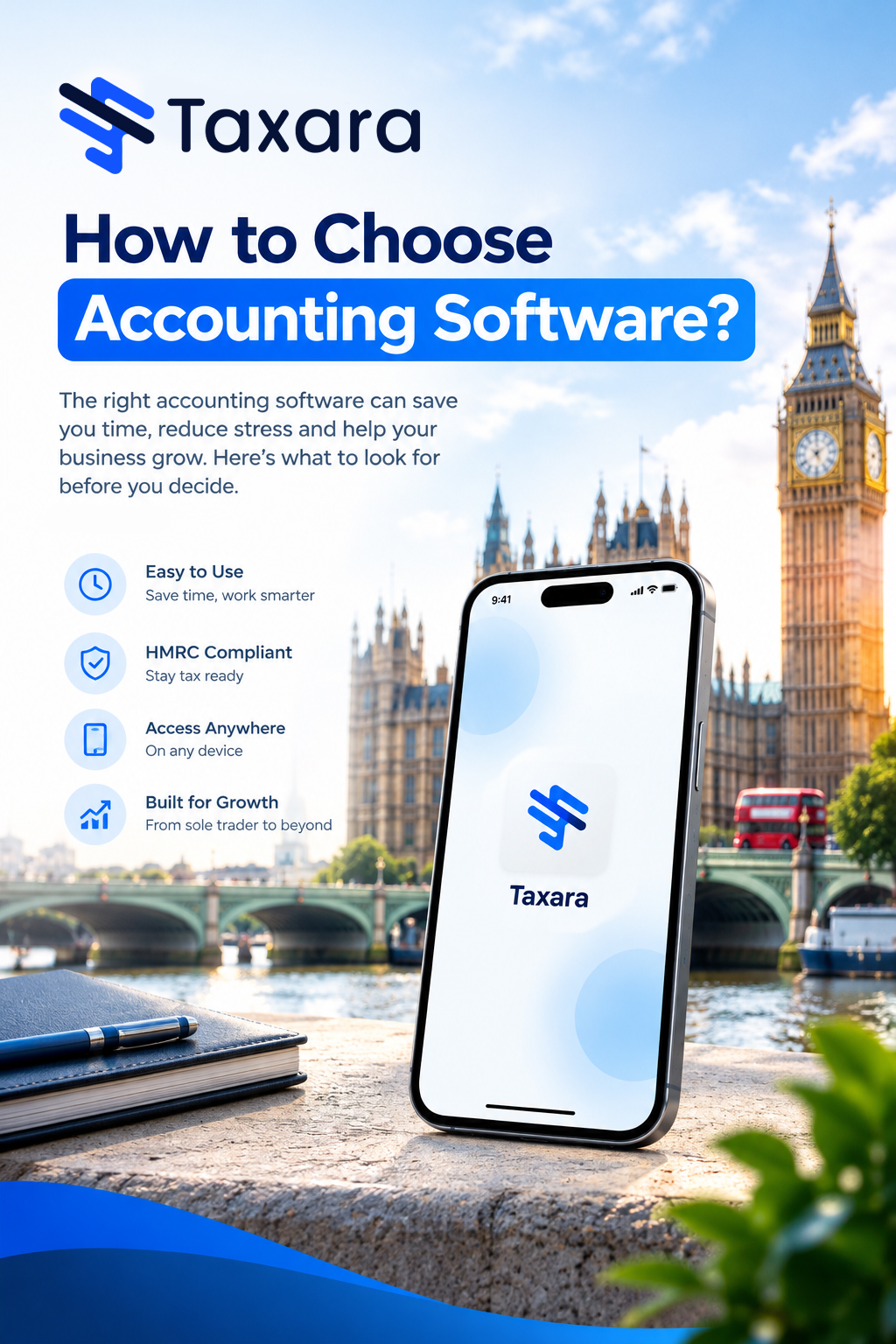
To choose accounting software, start by listing the finance tasks that currently cost you time or cause mistakes, then compare each option against your business structure and tax obligations, Making Tax Digital compatibility, reporting, scalability, automation, integrations, security, support and total cost of ownership. Shortlist two or three products, test them with your own real invoices and bank transactions, and ask your accountant whether they work with the platform before you commit. The right choice is the one that fits how your business operates today and keeps working as it grows.
This guide walks you through 12 practical steps for choosing accounting software for small business UK owners can rely on, the questions to ask in a demo, how to match software to your business type, the signs you have outgrown your current system and the red flags to avoid. It is written for sole traders, landlords, limited companies and growing businesses alike.
How to Choose Accounting Software: 12 Steps
1. Start with the problems you need solved
Do not begin with a feature list. Begin with the tasks that currently take too long, create uncertainty or lead to mistakes: chasing late invoices, typing in receipts, reconciling the bank by hand, preparing VAT returns or working out whether you can afford the next supplier payment. Ask your team what slows down month-end, which reports take the longest to build, which spreadsheets everyone depends on, where approvals happen outside the system and which data gets re-keyed between tools.
Write a short list of "must fix" problems before you look at any product. It keeps demos focused on outcomes and stops you paying for a sophisticated package that solves problems you do not have while missing the functions you use every week.
2. Match the software to your business structure and tax obligations
Your legal structure shapes what the software must do. Sole traders and self-employed professionals usually need straightforward income and expense tracking, invoicing, bank feeds and clean records for Self Assessment. A limited company needs stronger reporting, expense controls, director's loan account visibility, Corporation Tax support and year-end accounts for Companies House. Partnerships need profit allocation, and landlords need a simple way to separate property income and costs.
Other obligations change the shortlist too. Businesses in the Construction Industry Scheme (CIS), those with multiple VAT rates or partial exemption, and firms that trade in foreign currencies should test those areas before committing. Software saves time, but it does not replace sound accounting judgement.
3. Check Making Tax Digital compatibility
If you are VAT-registered, you already need software that keeps digital records and submits VAT returns to HMRC through Making Tax Digital. From 6 April 2026, some sole traders and landlords must also use compatible software to report income under Making Tax Digital for Income Tax, so your software choice now matters more than ever. Our guide to HMRC's Making Tax Digital rules explains who is affected and when.
When you compare products, check that the software can:
- Create, store and correct digital records of your income and expenses
- Send quarterly updates to HMRC and submit your final tax return or VAT returns
- Support all of your income sources, including self-employment, property, dividends and savings
- Work with your accounting period, whether that is the standard tax year or calendar update periods
- Allow an agent or accountant to act on your behalf, including more than one if needed
There are two broad kinds of MTD software. Software that creates digital records lets you import bank transactions, scan receipts or enter income and expenses manually. Bridging software connects to existing records, such as spreadsheets, and makes the submissions to HMRC for you. You can use more than one product, but only one for each separate submission, and they must work together. HMRC does not recommend any provider, but you can check its software finder and confirm that a product has gone through HMRC's recognition process.
4. Decide on the type of software
Three decisions narrow the field quickly. The first is cloud or desktop: cloud accounting software runs in a browser or app, updates automatically and works from any device, while desktop software is installed on one computer and can work offline. Our guide to what cloud accounting is explains the difference in detail.
The second is basic or advanced. Basic bookkeeping software covers invoicing, bank reconciliation and simple tax records, while advanced financial management platforms add multi-entity consolidation, multi-currency reporting, approval workflows, audit trails and custom management reports. The third is the category: general ledger, billing and invoicing, payroll, expenses, project accounting, fixed assets, fund accounting or a full ERP system. Our guide to what accounting software is and how many types there are covers all of them.
5. Compare the features that matter
Focus on features you will use weekly. For most UK businesses, the core checklist looks like this:
- Invoicing, credit notes, quotes and recurring billing with automatic payment reminders
- Bank feeds through open banking and automatic bank reconciliation
- Expense tracking with receipt capture and mileage logging
- Accounts payable with bill capture and supplier payments
- VAT, Making Tax Digital and tax reporting
- Payroll with PAYE, National Insurance, RTI and pension auto-enrolment
- Inventory and stock tracking where you sell products
- Fixed asset register and depreciation, if you own significant equipment
- Multi-currency support if you trade internationally
- A mobile app for invoicing, receipts and approvals
Some packages do several of these jobs and offer optional add-ons if your needs change, so ask what is included and what sits behind an upgrade. Our guide to how accounting software works explains what each of these features does behind the scenes.
6. Prioritise useful reporting over attractive dashboards
Most platforms show colourful charts. What matters is whether the figures answer the questions that drive your next decision. Check that you can see what customers owe and which bills are due, how much VAT may be payable, how actual results compare with budget and which products or services are most profitable. Look for the ability to build management reports without heavy manual work, drill from a summary report into the underlying transaction, access live data and report by department, project, location or entity.
Reports are only as good as the coding, reconciliation and review behind them, so build a monthly review routine, supported by your accountant where needed.
7. Check whether it can scale
A common mistake when choosing small business accounting software UK is buying for headcount alone. A 30-person business with several entities, international sales and complex reporting may need more advanced software than a 150-person single-company business with simple needs. Scalability depends on the number of entities and currencies, transaction volume, reporting complexity, approval workflows, industry requirements and your growth plans.
Ask what happens when you add a user, a second business or a higher plan tier, and whether your historical data carries over cleanly. A tool that is easy to start with but painful to grow into costs more time than it saves. If you expect your income sources to change, for example a landlord starting a business, check that the software will support the new source later.
8. Assess automation and controls together
Automation should cut repetitive work without weakening control. Look for automation in purchase invoice processing using optical character recognition (OCR), approval workflows, bank reconciliation, recurring journals, intercompany processes, reporting packs and alerts for exceptions. Then ask how it is controlled: what triggers each workflow, who can change the approval rules, how exceptions are reviewed, whether there is an audit trail and who can override a step.
9. Scrutinise the integrations
Accounting software should fit your existing tools, including e-commerce platforms, point-of-sale systems, payment providers, payroll, expenses, CRM, procurement and business intelligence. An integration only helps if it transfers the right data accurately. Some links create duplicated sales, inconsistent VAT treatment or a pile of transactions that still need manual correction.
Ask how each connection works, which data it passes, whether it runs in real time through an application programming interface (API) or relies on CSV uploads, and who will monitor it. Start with a clean, simple setup and add integrations once there is a clear business case.
10. Think about security, access and support
Cloud accounting lets owners and advisers reach records from anywhere, as long as access is controlled. Look for encryption, multi-factor authentication, role-based user permissions, automatic backups and compliance with UK GDPR. Check whether a provider holds recognised security certifications such as ISO 27001. Set up separate logins for each person, remove former staff promptly and restrict sensitive areas such as payroll and bank details.
Support matters too, especially when a VAT question or technical issue lands just before a deadline. Compare support channels, response times, onboarding help, training resources and whether support staff understand finance, not only software. Check whether you also want advice from an accountant who understands your wider tax position, since a software provider cannot always advise on the right accounting treatment.
11. Look beyond the monthly price to total cost of ownership
A low subscription is appealing, but the cheapest package can become expensive if it lacks essential features and forces manual workarounds. An advanced package is poor value if half of its functions go unused. Compare the full cost over the next three years, including:
- Subscription or licence fees, and how they change with users, invoices, bank accounts or entities
- Add-on charges for payroll, receipt capture, stock control, forecasting or extra reporting
- Implementation and data migration
- Training and internal staff time
- Integration and support costs
- Reporting workarounds, and the cost of upgrading or migrating later
Free plans exist for people with simple tax affairs, but they may limit transactions or features. Check those limits and whether a free plan is a genuine plan or a time-limited trial. Ask about contract length, notice periods and how easily you can export your data if you leave.
12. Test with real data, then plan the move
A guided demo shows you what a vendor wants you to see. A trial or free plan used with your own customers, invoices, bank feeds and VAT settings shows whether the software fits how your business actually works. Ask each person who will use it to try it: the owner cares about reports, a bookkeeper needs fast processing and a sales team needs simple invoicing.
Then plan the changeover. Choose a sensible start date, such as the beginning of a VAT quarter, month or financial year. Decide which historic data to transfer and what stays in the old system for reference. Take particular care with customer and supplier balances, unpaid invoices, bank reconciliations and the VAT position. Set up the chart of accounts, invoice templates, VAT settings and user permissions properly, reconcile opening balances to your previous records and train every user before go-live. A rushed migration can create months of confusion that outweighs the benefits.
Questions to Ask in an Accounting Software Demo
A demo should test whether the software can handle your real day-to-day work, not just show a product tour. Bring a sample report, approval route or chart of accounts, and ask:
- Can you show me how month-end close works?
- Can you build a management report using our reporting structure?
- How does the system submit VAT returns, and is it recognised for Making Tax Digital?
- How does multi-entity consolidation or multi-currency reporting work, if we need it?
- What happens when an approval is delayed or rejected?
- Can I drill from a summary report into the underlying transaction?
- Which integrations are standard, and which need extra work?
- How are user permissions managed, and what audit trail is available?
- What does implementation and data migration look like for a business like ours?
- What support do we get after go-live, and through which channels?
- Who is a typical customer, and how long does it take to learn?
- Is it mobile-friendly, and can I use it offline?
- Do accountants recommend it, and can my accountant access it?
How to Choose Accounting Software by Business Type
- Sole traders and freelancers: simple income and expense tracking, invoicing, bank feeds, receipt capture and Self Assessment records, with Making Tax Digital for Income Tax support
- Landlords: clear separation of property income and costs, with support for quarterly updates
- Limited companies: VAT, payroll, expense controls, director's loan account visibility, Corporation Tax and year-end accounts
- Retail and e-commerce: links with your till, online shop and stock system, plus correct VAT treatment of sales
- Professional services: timesheets, project accounting, expense and invoice modules and digital audit trails
- Construction: CIS deductions, job costing and progress billing
- Charities and not-for-profits: fund accounting, with every transaction posted against a restricted or unrestricted fund and reports that grant bodies expect
- Property and group structures: multi-entity accounting with intercompany transactions, consolidation and a top-down view of each entity
Signs You Have Outgrown Your Current Accounting Software
Businesses usually regret their choice when they pick only for today. Reassess your system if month-end takes longer each time, management reporting depends on spreadsheet exports, consolidation is manual, finance data is split across disconnected tools, approvals happen outside the system or you cannot easily report by entity, department, project or location. Other warning signs are staff spending too much time checking and re-keying data, integrations that rely on CSV uploads and a system nobody has changed since it was set up. Choose with a 12-month lens: will it still work when transaction volumes rise and reporting gets more detailed?
Red Flags When Choosing Accounting Software
Be cautious if you see limited reporting, heavy reliance on CSV imports, weak integration support, poor user permissions, unclear implementation timelines, limited support, manual consolidation, no data export option or no clear path for growth. A good vendor explains how the software handles your real scenarios instead of reading out a list of features.
Accounting Software Selection Checklist
- Supports your business structure, VAT status and tax obligations
- Compatible with Making Tax Digital, and recognised by HMRC where required
- Regularly updated, with updates that are publicly documented
- Covers the features you use weekly, with the option to add more
- Reporting that answers your decision-making questions
- Scalable in users, entities, currencies and transaction volume
- Compatible with your existing software, hardware and bank
- Secure, with multi-factor authentication, permissions and backups
- Real support with response times you have checked
- Pricing that is clear, with no hidden charges, and fair at three-year cost
- Works for your accountant, who can access your records
- Tested successfully with your own real data
Finding the Best Accounting Software for a Small Business
The best accounting software for small business owners can choose is not the one with the longest feature list. It is the one that covers essential bookkeeping, invoicing, bank reconciliation, tax records and reporting, is easy enough to keep up with and still supports you as you add users, reporting needs and complexity. Start with HMRC compatibility, then test usability and support, and ask for a free plan or trial you can try with real transactions.
Why Choose Accounting Software at All?
Good accounting software replaces manual data entry and scattered spreadsheets with one accurate record. It saves time, reduces errors, gives you a real-time view of cash flow and profit, keeps you ready for HMRC and makes audits and year-end work quicker. If you want the full picture, read our guide on how accounting software helps a business.
Final Thoughts
Choosing accounting software is a practical decision, not a technical one. Start with the problems you want to solve, check HMRC and Making Tax Digital compatibility, compare features, reporting, scalability, integrations, security, support and total cost, then test your shortlist with real data and plan the migration carefully. The right system leaves you with fewer unanswered questions and more time to focus on the business. With Taxara, you can take that step with confidence and keep your tax and accounting organised from day one.
Frequently Asked Questions
How do I choose accounting software?
List your biggest finance problems, match them to your business structure and tax obligations, check Making Tax Digital compatibility, compare features, reporting, scalability, integrations, security, support and total cost, then test two or three products with real data before you decide.
What should I look for first in accounting software?
For UK businesses, start with tax compliance: VAT, Making Tax Digital and, if you are a sole trader or landlord, Making Tax Digital for Income Tax. Software that cannot meet your HMRC requirements is not worth comparing other features.
How do I choose accounting software for a small business?
Choose software that covers invoicing, bank reconciliation, tax records, reporting and ease of use. If the business is growing, also check whether it supports more users, better reporting, integrations and future complexity.
Should I test accounting software with a demo or real data?
Use real data wherever you can. A demo shows a curated experience, while testing with your own invoices, customers and bank feeds shows whether the software fits your business.
Is a free trial the same as a free plan?
Not always. A time-limited trial can push you into a quick decision, while a genuine free plan gives you room to test properly, although free plans may limit transactions or features.
Is cloud accounting software worth it?
For most businesses, yes. Cloud software offers flexible access, collaboration, automatic updates and easier integrations, but it still needs to fit your reporting, control and scalability needs.
How do I know if accounting software will scale with my business?
Ask what happens when you add users, entities, currencies or a new plan tier, and whether your historical data carries over cleanly.
Do I need MTD-compatible accounting software?
If you are VAT-registered you already need it for VAT returns. Some sole traders and landlords must also use compatible software for Making Tax Digital for Income Tax from 6 April 2026. Check gov.uk for the current rules that apply to you.
What are the red flags when choosing accounting software?
Watch for limited reporting, heavy reliance on CSV imports, weak integrations, poor user permissions, unclear implementation timelines, limited support, manual consolidation and no way to export your data.
Should I ask my accountant before choosing accounting software?
Yes. An accountant can check that the platform suits your tax obligations and reporting needs, and shared access makes collaboration much easier.
Never stress again
Never be late again
Never waste time
.png)


On time.
In shape.
Taxara keeps your finances in shape and always on time - with just a few simple taps and clicks.
Try for free
Simple.
Affordable.
Taxara comes with a free plan, and the premium one starts from £6.99 - about the same as your daily coffee.
Try for free
Your time.
All yours.
Win back your time and focus on what you love most - let Taxara’s AI take care of the rest.
Try for freeGot questions?

Save time for what matters most - with Taxara
Taxara Ltd. 273/275 Wilmslow Road, Manchester, England
info@taxara.co.uk
support@taxara.co.uk
.png)
.png)
.png)


.png)