How Does Accounting Software Help a Business?

.png)
Composed by Taxara on
14/10/2026
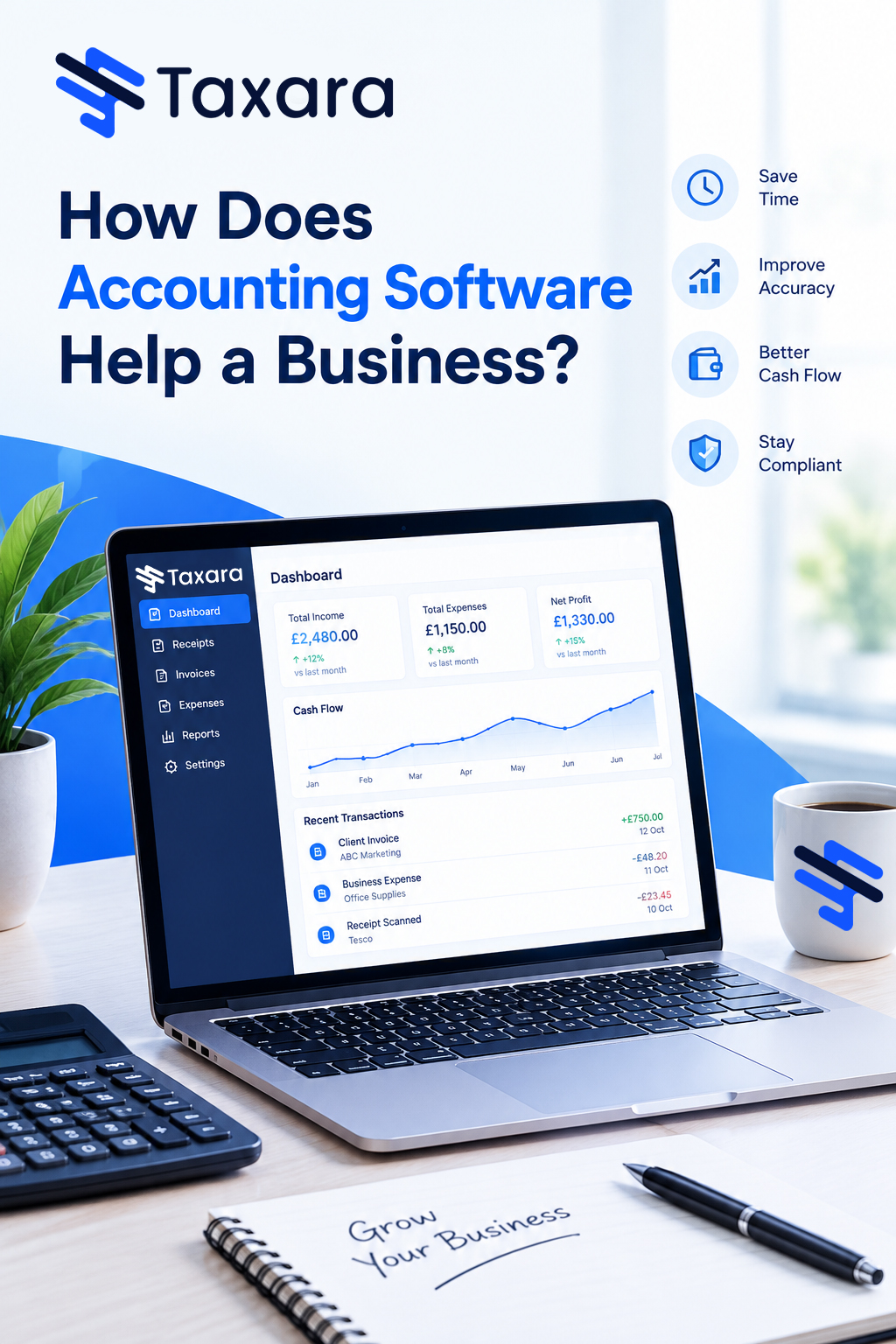
Accounting software helps a business by replacing manual bookkeeping with automated workflows. Every sale, bill, payment and payroll run is recorded in a general ledger, matched against your bank feeds and turned into tax-ready reports, so you can see your cash position and profitability at any moment. In practice, that means fewer errors, faster customer payments, simpler VAT returns, a shorter month-end close and decisions based on current figures instead of last quarter's.
Most UK businesses start with spreadsheets, paper receipts and a folder of invoices. That works until transactions, suppliers, stock lines, employees and HMRC obligations multiply, and the manual process starts costing more time than the business can spare. This guide explains why businesses use accounting software, how accounting software helps a business in 18 practical ways, the features that matter most, and what to check before choosing the right platform for your business.
What Is Accounting Software?
Accounting software is a digital system that collects, records, categorises, manages and reports a company's financial data from a single platform. At its core sits a general ledger built on double-entry bookkeeping, where every transaction is logged as a debit and a credit against a chart of accounts covering revenue, expenses, assets, liabilities and equity. Around that foundation, modern platforms add accounts receivable, accounts payable, invoicing and billing, bank feeds, expense management, payroll, inventory tracking, tax reporting, dashboards and analytics.
The software collects financial information once and then reuses it everywhere. A single sales invoice updates your receivables, your sales ledger, your VAT liability and your profit and loss statement at the same time, which removes the need to key the same figure into several spreadsheets.
Why Use Accounting Software?
Businesses use accounting software when manual processes and piecemeal accounting practices stop supporting growth and start holding it back. A basic general ledger and a few spreadsheets can cover the early days, but they struggle once you manage more customers, suppliers, stock lines, employees and tax obligations. Chasing redundant reports from different departments, re-keying data and checking formulas by hand wastes resources that should go into running the business.
Accounting software gives small and growing companies a cost-effective way to manage, streamline and automate both basic and more complicated financial and operational processes. The main reasons businesses switch from manual accounting to software include the ability to:
- Schedule supplier payments, customer invoices and payment reminders automatically
- Increase the accuracy of data entry and calculations
- Post transactions directly into the books for timely month-end and year-end closes
- Generate accurate, compliant financial reports and customised graphs
- Link directly to business bank accounts to import transactions, make payments and track deposits
- Gain greater visibility of inventory levels and stock movements
- Calculate employee wages, PAYE and National Insurance contributions
- Submit VAT returns to HMRC through Making Tax Digital
- Give accountants and bookkeepers secure remote access to live records
- Free in-house computing systems and IT resources through automatic updates and backups
In short, accounting software lets key employees stop collecting and correcting data and start using it. It digitises, automates and streamlines accounting and financial processes, and the benefits below show exactly how.
18 Ways Accounting Software Helps a Business
1. Time Savings Through Automation
Business owners and finance teams lose hours every month to data entry, receipt matching, payment chasing and report building. Accounting software automates most of it. Recurring invoices go out on schedule, payment reminders include links to online payment methods, bank transactions arrive through live bank feeds, and supplier bills can be captured from emailed PDFs with optical character recognition (OCR). Vendor payments and direct debits can be scheduled in advance, which keeps accounts payable under control. The hours you recover can go into sales, customer service and product development, where they earn far more.
2. Fewer Errors and Better Accuracy
Manual bookkeeping invites typos, transposed digits, missed entries and broken spreadsheet formulas, and a single wrong figure can distort your profit margin or trigger a tax problem. Accounting software calculates totals automatically, applies the correct VAT rates, flags duplicate entries and enforces double-entry rules so your trial balance stays accurate. When an error does slip through, many systems send a notification and highlight it for correction. Bank rules categorise recurring transactions the same way every time, which keeps reports consistent and reliable. Accuracy matters most for detailed invoices where items, worked hours and rates change from line to line: you select the items, enter the data and the system does the rest.
3. Real-Time Financial Visibility
With spreadsheets and paper records, you often learn how the business performed only after the books close at month-end or year-end. Accounting software updates as transactions happen. A dashboard can show your cash balance, outstanding invoices, upcoming bills, revenue, profit, assets and inventory at any moment, and you can compare results against earlier periods. Retailers and other transactional businesses can go further and see sales by payment method, time and location. Because problems show up early, such as a customer paying late or a cost category creeping up, you can fix them before they grow into bigger issues.
4. Instant Financial Reports
With a few clicks you can generate a profit and loss statement (income statement), balance sheet, cash flow statement, trial balance, aged receivables report, aged payables report and a VAT summary. Many platforms also report on customer profitability, project profitability and key performance indicators such as gross margin, net profit margin and days sales outstanding (DSO). Custom reports and graphs give lenders, investors, auditors and board members a clear, professional view of the numbers, and automated journal entries shorten the month-end close. The same data can help you project your Corporation Tax bill and your VAT position well before the deadline.
5. Cash Flow Management and Forecasting
Poor cash flow is one of the most common reasons small businesses fail, even profitable ones. Accounting software tracks money in and money out, highlights overdue invoices and lets you enter upcoming bills and expected payments to forecast your cash position weeks or months ahead. You can see whether income will cover next quarter's supplier payments, payroll and tax liabilities. Budgeting, scenario planning, financial planning and working capital tools help you prepare for growth, seasonal dips and large purchases.
6. Faster Invoicing and Payments
Branded invoice templates, automatic VAT and discount calculations and one-click emailing make billing faster and more professional. Automated payment reminders handle credit control, so you spend less time chasing debtors and receive alerts when invoices become overdue. Many platforms connect to payment gateways such as Stripe, PayPal and Square, and some offer a customer portal for self-service payments, so clients can pay by card or bank transfer straight from the invoice. Faster payment shortens your receivables cycle and strengthens working capital. Subscription businesses can also set up recurring billing, usage-based pricing and real-time invoices.
7. Automated Bank Reconciliation
Bank reconciliation means comparing the transactions in your books with your bank statement to confirm the two agree. Done by hand, it is slow and tedious. Accounting software links securely to your business bank accounts and credit cards, imports transactions automatically and suggests matches using rules and machine learning. You approve or adjust, and your records stay in sync with reality. This speeds up the month-end close, helps catch bank errors and unauthorised charges, and supports fraud detection. The same bank link lets you make payments, track deposits and see a real-time view of cash flow.
8. Tax Compliance and HMRC Filing
Tax rules are complex and mistakes are costly. Accounting software tracks VAT as you invoice and spend, calculates what you owe and produces ready-to-file returns. Many platforms are compatible with HMRC's Making Tax Digital (MTD) rules and can submit VAT returns directly from your records. The same data supports Corporation Tax, Self Assessment for sole traders and partnerships, the Construction Industry Scheme (CIS) where relevant, and annual accounts for Companies House. Because every transaction is recorded and categorised throughout the year, tax time becomes a review instead of a scramble, and you avoid the penalties that follow late or incorrect submissions.
9. UK GAAP, FRS 102 and IFRS Compliance
Producing, tagging and double-checking financial data by hand is time-intensive and error-prone, and changing regulations add pressure. Accounting software uses regularly updated templates to produce financial statements aligned with UK GAAP (including FRS 102 and FRS 105 for smaller entities) or International Financial Reporting Standards (IFRS), depending on your reporting framework. That makes your reports acceptable to auditors, banks, investors and regulators, and it takes much of the stress out of audits and year-end reporting.
10. Payroll and Employee Expenses
Calculating wages, overtime, benefits, deductions, pension contributions and payroll taxes each month leaves little room for mistakes. Many accounting systems include payroll or integrate with dedicated payroll software to pay salaried and variable-wage staff, handle different pay schedules, generate payslips, run Real Time Information (RTI) submissions to HMRC, calculate PAYE and National Insurance, and manage workplace pension auto-enrolment. Time tracking and expense management features let employees submit claims, photograph receipts and log mileage or travel costs from a smartphone app, so expenses are captured at the moment they happen. Sole traders can also learn how to calculate variable expenses to keep budgeting and pricing accurate. Payroll entries post straight to the ledger, so labour costs always appear accurately in your financial statements.
11. Inventory, CRM and E-Commerce Integrations
Accounting software rarely works alone. Through APIs and app marketplaces, it integrates with inventory management systems, customer relationship management (CRM) platforms, point-of-sale systems, e-commerce platforms such as Shopify and WooCommerce, payment processors and expense management tools. For product-based businesses, inventory integration provides real-time stock levels, cost of goods sold, low-stock alerts, minimum re-order levels and automatic reordering with supplier payments, while purchase orders and sales orders sit in the same system. For service businesses, a CRM link keeps customer details, quotes and invoices in sync. Data moves between applications automatically, which removes double entry and the errors that come with it.
12. Data Security, Organisation and Business Continuity
Paper invoices get lost, and spreadsheets get overwritten or emailed to the wrong person. Accounting software stores documents in one secure location with encryption, multi-factor authentication, role-based access controls and automatic backups. If a laptop or phone is lost or stolen, or an office is hit by fire or flooding, your financial data stays safe on the provider's servers, which supports disaster recovery and business continuity. Small businesses can get the same level of security as much larger companies. Every change is recorded in an audit trail showing who did what and when, which supports internal controls and makes audits easier. You can review, reprint and resend invoices, and search for any record by invoice number, customer name or amount in seconds.
13. Collaboration and Accountant Access
When each department keeps its own spreadsheets, reports overlap, numbers disagree and nobody is sure which version is right. Accounting software gives sales, operations, procurement and finance a shared, up-to-date view of transactions. That visibility prevents errors, breaks down departmental silos, clarifies accountability and makes it easier to adjust budgets and expenses by department. Because most platforms run in a web browser, your accountant or bookkeeper can also log in remotely to prepare year-end accounts, review records and give advice in real time, without files travelling back and forth by email.
14. Remote Access From Any Device
Cloud accounting software lets authorised users reach live financial data securely from a laptop, tablet or smartphone, wherever there is an internet connection. That is particularly valuable for businesses with dispersed teams, home-based employees or multiple locations, because colleagues can view and update records in real time. The shift to remote and hybrid working has pushed many finance teams to adopt cloud systems for exactly this reason. Business owners can send an invoice, approve a bill or check cash flow from a client site, and you can give key employees access without handing out the whole system.
15. Better Decision-Making and Productivity
Hope and instinct make weak foundations for important decisions. Accounting software puts real-time figures such as revenue, profit, customer purchase rates, product sales and inventory levels in front of you, so you can spot cost-saving opportunities, plan for growth and make sure you hold enough cash reserves to meet your obligations. Because the routine work is automated, finance staff move from passive caretakers of data to proactive contributors who analyse results, advise managers and improve strategy. Better visibility and collaboration across departments help the whole team make better-informed decisions.
16. Scalability as Your Business Grows
A good platform grows with you. You can add users, bank accounts, entities, projects, currencies and advanced modules as transaction volume, headcount and customer numbers rise. Multi-currency support matters if you sell internationally or pay overseas suppliers, and multi-entity features help groups that run several companies. Growth does not require hiring extra in-house accounting staff, so the cost of scaling stays under control. Many packages also let you remove modules you do not need during slow seasons or transitions, so you pay only for what you use.
17. Lower Costs and Freed-Up Staff
Traditional accounting can mean paying external accountants for routine data entry or spending hours on repetitive work. Accounting software reduces that burden, cuts the cost of corrections and late-payment penalties, and often lowers bookkeeping fees because the data you hand to your accountant is already clean and organised. Cloud systems also remove the need for local servers, hardware maintenance and costly licence upgrades, which frees IT resources for other priorities. Subscription pricing for small business plans is usually modest compared with the time and risk it removes.
18. Easy to Learn for Non-Accountants
Small business owners rarely have time to master complicated software. Most modern accounting platforms use an intuitive interface, guided setup and plain-language labels, so first-time users become productive quickly without a finance background. Hints, tips, factsheets, tutorials, webinars and video content are usually built in, and customer support is available if you get stuck. A short learning curve means you see the benefits within days rather than months.
Key Features to Look for in Accounting Software
When you shortlist the best small business accounting software UK businesses can choose from, start with the core features that match how your business operates:
- General ledger with journal entries and a customisable chart of accounts
- Accounts payable and accounts receivable
- Invoicing, recurring billing and automated payment reminders
- Bank feeds and automatic bank reconciliation
- Expense tracking with receipt capture and mileage logging
- Financial reporting and dashboards, including profit and loss, balance sheet and cash flow
- VAT and Making Tax Digital support
- Payroll with PAYE, RTI, National Insurance and pension auto-enrolment
- Inventory management with low-stock alerts and re-order levels
- Purchase orders and sales orders
- Multi-currency support
- Integrations with CRM, e-commerce, payment gateway and point-of-sale tools
- Role-based user access, multi-factor authentication and an audit trail
- Mobile access from phones, tablets, laptops and desktops
- Customer support, training resources and a free trial to test the system with real transactions
How to Choose the Right Accounting Software for Your Business
The best accounting software for small business is the one that fits your size, industry, budget and growth plans. A freelancer may only need simple invoicing and expense tracking, an e-commerce brand needs inventory and marketplace integrations, and a larger firm may need multi-entity consolidation, approval workflows and advanced reporting. Some products are built for specific industries such as construction, hospitality, retail or professional services, and these can fit better than a general package. If you plan to add a subscription model, look for recurring billing, usage-based pricing and real-time invoices.
Look closely at scalability, ease of use, integration capabilities and security. An intuitive interface keeps the learning curve short for people without a finance background. Confirm that the provider supports UK tax rules, Making Tax Digital, your currency and your compliance requirements, and ask your accountant which platforms they work with, because shared access makes collaboration much smoother. Finally, compare total cost, including add-on modules, payroll fees, extra users and data migration support, not just the headline monthly price.
Tips for Getting the Most From Your Accounting Software
A smooth rollout makes a big difference. Set up your chart of accounts carefully, clean your existing data before migrating it, connect your bank feeds early and create bank rules for recurring transactions. Train every user who will touch the system, and agree on who approves bills, who raises invoices and who reviews reconciliations. Schedule regular reviews with your accountant so reports are checked, tax liabilities are planned and the software keeps matching the way your business works.
Final Thoughts
Accounting software saves time, reduces errors, improves cash flow, keeps you compliant with HMRC rules and accounting standards, protects your data and gives you the real-time insight needed to make confident decisions. For small businesses it replaces scattered spreadsheets with a single source of truth, and for growing companies it provides a foundation that scales with transactions, teams and markets. Choosing the right platform and setting it up properly is one of the most practical investments you can make in your business's long-term stability and growth. With Taxara, you can take that step with confidence and turn your finances into a clear advantage.
Frequently Asked Questions
What is the main purpose of accounting software?
The main purpose of accounting software is to record, organise and report financial transactions accurately. It automates bookkeeping, invoicing, reconciliation, payroll and reporting so owners can manage money efficiently and make better decisions.
Why use accounting software instead of spreadsheets?
Spreadsheets rely on manual entry and formulas that can break, and they cannot connect to your bank, file VAT returns or give your accountant live access. Accounting software automates data entry, enforces double-entry rules, keeps an audit trail and produces compliant reports in seconds.
How does accounting software help small businesses?
It saves time on admin, reduces calculation errors, tracks income and expenses, automates invoicing and payment reminders, supports tax filing and gives owners real-time insight into cash flow and profitability. It also scales as the business adds customers, products and staff.
What is the difference between cloud and on-premises accounting software?
On-premises software is installed on your own computer or server and is usually bought with a one-off licence. Cloud accounting software runs online on a subscription, updates automatically, backs up data off-site and can be accessed from any device. Most growing businesses prefer cloud platforms for their flexibility and lower IT overhead.
Can accounting software handle payroll and VAT?
Many platforms either include payroll or integrate with payroll software, and most can calculate VAT and submit VAT returns to HMRC through Making Tax Digital. Payroll features such as PAYE, National Insurance, RTI and pension auto-enrolment vary by plan, so check that the software covers what you need.
Does accounting software help with UK GAAP and IFRS compliance?
Yes. Many systems use regularly updated templates to produce financial statements that follow UK GAAP or IFRS, which helps with audits, lender requirements and investor reporting.
Do I still need an accountant if I use accounting software?
Usually, yes. Software handles data capture and calculations, but an accountant provides tax planning, strategic advice, compliance guidance and year-end support. Clean, organised records make their work faster and can reduce your fees.
How secure is online accounting software?
Reputable providers use data encryption, secure data centres, multi-factor authentication, user permissions and automatic backups. You can strengthen security further with strong passwords and by limiting user access to what each person needs.
How do I choose the right accounting software for my business?
Start with your business size, industry, budget and growth plans, then check that the software supports bank feeds, invoicing, VAT, Making Tax Digital, payroll, reporting and the integrations you rely on. Choose a cloud platform that offers a free trial, good customer support and shared access for your accountant, so the system fits how your business actually works.
Never stress again
Never be late again
Never waste time
.png)

On time.
In shape.
Taxara keeps your finances in shape and always on time - with just a few simple taps and clicks.
Try for free
Simple.
Affordable.
Taxara comes with a free plan, and the premium one starts from £6.99 - about the same as your daily coffee.
Try for free
Your time.
All yours.
Win back your time and focus on what you love most - let Taxara’s AI take care of the rest.
Try for freeGot questions?

Save time for what matters most - with Taxara
Taxara Ltd. 273/275 Wilmslow Road, Manchester, England
info@taxara.co.uk
support@taxara.co.uk
.png)
.png)
.png)


.png)