How Does Accounting Software Work?

.png)
Composed by Taxara on
22/10/2026
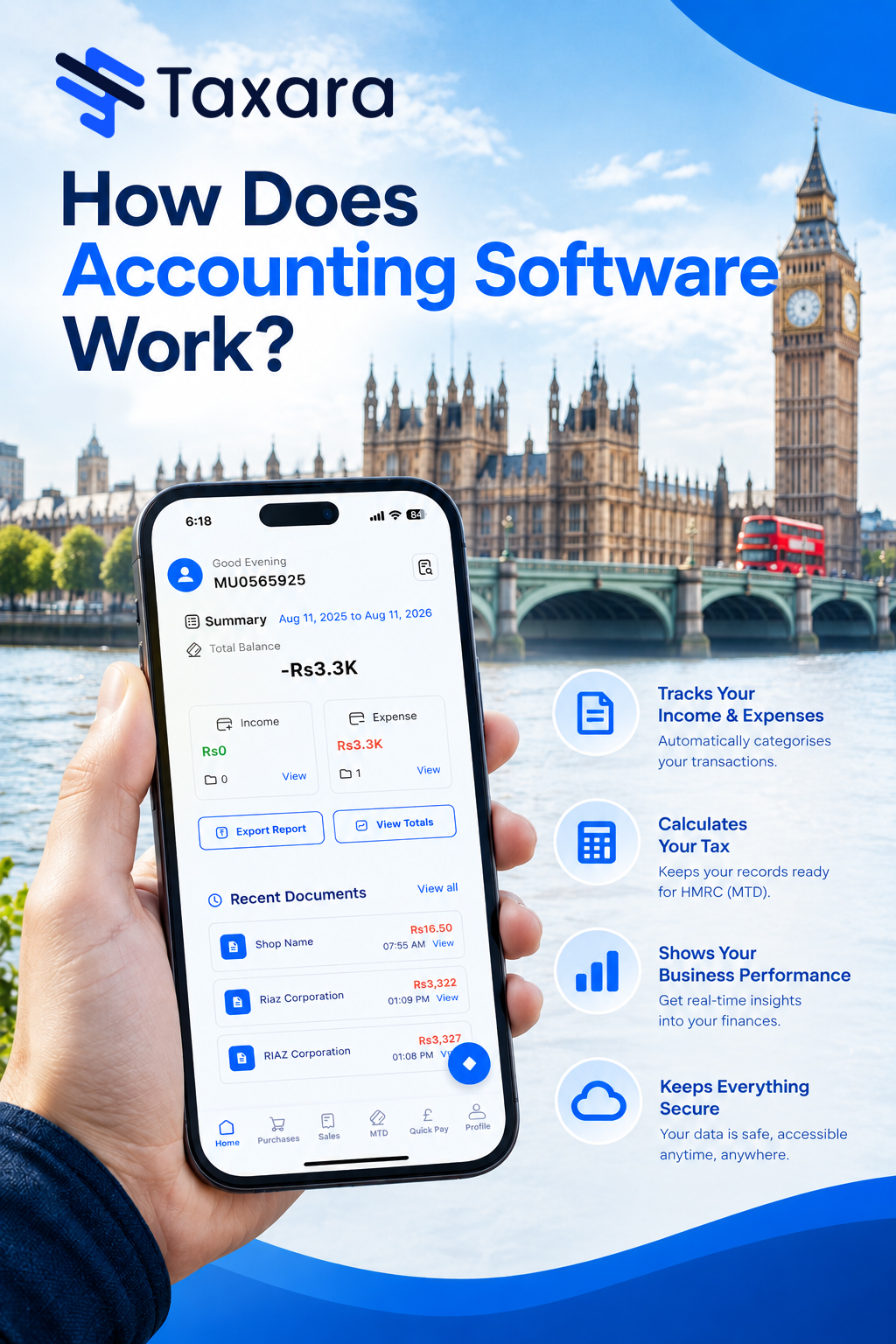
Accounting software works by recording each financial transaction once, classifying it into the right accounts in a general ledger using double-entry bookkeeping, calculating totals and tax automatically and updating every report in real time. Behind the screen, a database stores your data, software logic applies the accounting rules and a user interface displays the results in a browser or mobile app. You enter or import data once, and the software handles the posting, matching, tax calculations and reporting that used to be done by hand.
This guide explains how accounting software works step by step, what happens behind the scenes, the key components inside it, how automation and AI fit in and how cloud and desktop versions differ. It also includes a practical UK example, the features worth checking and answers to the questions business owners ask most often.
What Is Accounting Software?
Accounting software is a tool that businesses use to record, manage and report financial transactions, account balances and other bookkeeping tasks. It consolidates financial data into one system, so finance teams, owners and accountants all work from the same up-to-date records instead of separate spreadsheets, paper invoices and bank statements. There are many kinds of accounting software, from basic bookkeeping tools to cloud platforms and ERP systems, and you can compare them all in our guide to what accounting software is and how many types there are.
The complete setup a business uses to record, store and manage its finances is called an accounting system. In a manual system you keep paper bills, write entries in a register and maintain ledgers by hand. In a digital accounting system, the software does the same work faster, with better accuracy and cleaner records, and it keeps a full audit trail of every change.
How Does Accounting Software Work Step by Step?
At a high level, accounting software follows four steps: it records a transaction, classifies it, processes the numbers and reports the result. Each step is explained below.
- It records financial transactions
Every process starts with data entry. You create a sales invoice, enter a supplier bill, log an expense, record a payment or receipt, or import transactions from your bank. In modern software, much of this arrives automatically through bank feeds, scanned receipts and integrations with other systems, so you rarely key anything twice. Accurate and regular entry still matters, because your reports are only as reliable as the data behind them.
- It classifies each transaction into the right accounts
The software sorts every entry into the correct accounts in your chart of accounts, such as sales, cost of sales, overheads, debtors, creditors, assets or tax. A sales invoice creates a receivable, a supplier bill creates a payable or stock, and a payment clears the balance. Rules you set once, such as "always code this supplier to vehicle costs", make classification consistent and repeatable. Larger systems also tag entries with a cost centre, department, project or fund so you can report from several angles.
- It processes totals, tax and balances
This is where double-entry bookkeeping runs in the background. Each transaction is posted as equal debits and credits, so the books always balance and the trial balance stays accurate. The software works out line totals, discounts, VAT, foreign exchange conversions and running balances, and it updates every related ledger at once. One sales invoice, for example, updates the sales ledger, the customer's account, the VAT liability and stock where relevant.
- It reconciles your records with the bank
Bank reconciliation compares the transactions in your books with your bank statement. The software imports bank transactions, suggests matches using rules and automatic transaction matching, and highlights missing, duplicate or mismatched entries for you to approve or correct. This turns reconciliation from a month-end headache into a quick routine check.
- It generates financial reports
Because every entry is already posted to the ledger, reports update the moment you save a transaction. You can produce a profit and loss statement (income statement), balance sheet, cash flow statement, trial balance, aged debtors and aged creditors reports, a VAT summary and customer or project profitability reports, then filter by date range, department or entity and export them to PDF or Excel.
- It supports tax filing and compliance
The software tracks the tax on every sale and purchase, calculates what you owe and keeps digital records ready for HMRC. In the UK it can prepare VAT returns and submit them directly through Making Tax Digital, and the same data feeds Corporation Tax, Self Assessment and payroll reporting. For a breakdown of what small business owners need to do, read our guide to HMRC's Making Tax Digital rules.
What Happens Behind the Scenes?
Most people never see what runs under the screen, but a basic understanding helps you ask better questions when you compare software. Every accounting package is built from three layers working together.
The database stores your financial data
At the base sits a database, a large and organised store that holds all of your financial data along with the settings that drive the software. It does more than hold information, because it also decides how the data is structured. Sales invoices, purchase invoices, purchase orders, assets and their depreciation, users, authorisers, customers and suppliers are all separate pieces of data that relate to each other. A modern relational database, usually built on SQL, links those pieces together so a single invoice can be traced to its customer, its payments and its ledger entries.
The software logic applies the rules
Software of any kind is a series of code that creates logic: when A happens, the result is B. Accounting software builds on that to apply double-entry rules, tax rates, approval workflows and calculations. It decides how data in the database is read, written and combined, and it enforces permissions so users only see what they are allowed to see.
The user interface displays everything on screen
The top layer takes data and logic and turns it into the pages, forms, dashboards and graphs you use. Modern systems render these in a web browser, which is why cloud accounting software works on a PC, Mac, tablet or smartphone without special hardware. Without this layer, every finance professional would need to write code to see even a simple balance.
How accounting software has changed
Early accounting systems held data in static files that were separate from each other. Balances were calculated when a transaction was entered and then frozen, which made reporting rigid and changes difficult. Relational databases made it possible to calculate balances at the moment you run a report and to drill down or jump between related transactions. The internet and faster broadband then allowed software to be delivered remotely instead of sitting on a single terminal or in-house server, which gave us cloud computing.
Key Components of Accounting Software
These are the core modules inside most accounting systems.
General ledger (nominal ledger)
The general ledger, also called the nominal ledger, is the central record of every account. All transactions ultimately update it, and it feeds the trial balance, income statement and balance sheet. Advanced systems let you code entries with a nominal code plus a cost centre, department or project for more detailed management reporting.
Accounts receivable and accounts payable
Accounts receivable (the sales ledger) tracks money customers owe you, while accounts payable (the purchase ledger) tracks money you owe suppliers. The software records invoices, credit notes, payments and statements, and it produces ageing reports that show how long each amount has been outstanding, so you can chase late payers and plan supplier payments.
Bank feeds and reconciliation
Secure bank feeds, powered by open banking, import transactions straight from your business bank accounts and credit cards. Matching rules then reconcile them against invoices and bills.
Tax and compliance module
This module applies VAT rates and tax codes, tracks your liabilities and prepares returns. It also supports PAYE, National Insurance and Real Time Information (RTI) submissions through payroll, and the Construction Industry Scheme (CIS) where relevant.
Payroll, expenses and inventory
Payroll modules calculate wages, deductions and pension contributions. Expense tools capture receipts and mileage from a smartphone. Inventory modules track stock levels, cost of goods sold and re-order points.
Reporting and dashboards
Reporting tools turn ledger data into financial statements, key performance indicators (KPIs) and visual dashboards, so you can see cash flow, profit and outstanding invoices at a glance.
Security and audit trail
Encryption, multi-factor authentication, role-based permissions and automatic backups protect your data. An audit trail records who changed what and when, even when you merge or correct records, which supports internal controls and external audits.
How Does Accounting Software Automate Tasks?
Automation is not magic. It is a set of rules and technologies that remove repeated manual work. In practice, it means the following:
- One sales invoice updates sales, the customer ledger, the VAT ledger and stock at the same time
- One payment entry updates the bank balance and the customer or supplier account
- Tax is calculated automatically from the tax code or rate you select
- Recurring invoices, bills and journals are created on a schedule, with automatic payment reminders for late payers
- Reports refresh the moment an entry is saved
- Totals and ledger updates are system-driven, so manual errors fall
OCR and machine learning
Optical character recognition (OCR) reads invoices and receipts and enters the supplier, date, amounts and VAT automatically, so no one needs to retype them. Machine learning then suggests the right account, matches bills to purchase orders, flags duplicates and unusual transactions and improves as you correct it. Many systems can also route an invoice to an authoriser for approval and then schedule the payment.
Integrations and APIs
Application programming interfaces (APIs) and web-service links let your accounting software exchange data in real time with e-commerce platforms, point-of-sale systems, CRM tools, payroll, payment gateways and banks. This removes the need to re-key information from system to system, so your reports can include wider business data and stay accurate to the minute.
Cloud vs Desktop: How Delivery Changes the Way It Works
The accounting logic is much the same in both, but where the software runs changes how you use it. Cloud and desktop are two of the five deployment types of accounting software, alongside server-based, hybrid and open-source options.
- Cloud accounting software runs on the provider's secure servers and is accessed through a browser or app over the internet. The provider handles updates, backups, security patches and new tax rules, so you can log in from anywhere, on any device, and your team and accountant can work on the same live data. Our guide to what cloud accounting is covers this in more detail.
- Desktop accounting software is installed on a single computer and stores data locally. It can work offline and gives you direct control, but you are responsible for backups and updates and usually can only use it on that device.
Most UK small businesses now choose cloud software for the remote access, automatic updates and bank feeds, and the best accounting software for small business owners can usually combine all three, while desktop software suits those who want local control or have limited internet access.
A Practical Example of How Accounting Software Works
Imagine a small UK business with four recurring bills: rent, utilities, a business loan and insurance. You enter each payment once and assign it to the right account, and from then on the software tracks monthly spending against each category so you can see where costs are rising.
The same business invoices four customers each month. You save each customer's details and set up a recurring invoice with VAT applied, and the software creates and emails a new invoice on the date you choose. You also set a payment reminder for 30 days past due, so any customer who has not paid receives a notification without you doing anything.
At the end of the quarter, your accountant asks for the profit and loss statement, balance sheet and cash flow statement, and you download them in a few clicks. If you are VAT-registered, you also review the VAT summary and submit the return to HMRC through Making Tax Digital. At year-end, you sit down with your accountant and pull the accounts receivable, accounts payable, profit and loss and balance sheet reports to build next year's budget. Because each figure came from a single entry, there is no re-keying and the reports agree.
Key Features to Look for in Accounting Software
- Double-entry bookkeeping with a flexible chart of accounts
- Invoicing, credit notes and recurring billing with automatic reminders
- Bank feeds, bank imports and automatic reconciliation
- Accounts payable with bill capture and supplier payments
- VAT, Making Tax Digital and tax reporting for HMRC
- Payroll with PAYE, National Insurance and RTI
- Robust financial reporting and customisable dashboards
- Customer and supplier management with ageing reports
- Multi-currency support with up-to-date exchange rates
- Multi-user access with role-based permissions and an audit trail
- Integrations with e-commerce, CRM, point-of-sale and payment tools
- Mobile app for invoicing and receipt capture
- Responsive customer support, onboarding and training resources
How to Use Accounting Software Effectively
Whichever small business accounting software UK owners choose, it is only as accurate as the data you give it, so a few habits make a big difference. Set up your chart of accounts carefully before you start, and clean your existing data before migrating it. Connect your bank feeds early and create bank rules for recurring transactions. Reconcile regularly, review your financial statements at least once a month and agree who raises invoices, who approves bills and who checks reconciliations. Finally, share access with your accountant so they can review live records, prepare year-end accounts and help with tax planning.
Why Use Accounting Software?
Businesses use accounting software because it saves time, reduces errors and gives a real-time view of finances, and the right accounting software for small business UK owners choose also keeps them ready for HMRC. Automation removes repetitive data entry, calculations are done by the system, and live dashboards show cash flow, profit and outstanding invoices as they change. Tax compliance becomes simpler because every transaction is categorised throughout the year, audits are quicker because records sit in one searchable place, and security improves through encryption, backups and controlled access. Cloud access also supports remote and hybrid teams. For a full breakdown of the benefits, read our guide on how accounting software helps a business.
Final Thoughts
Accounting software works by turning each transaction you record into organised, double-entry records, then using automation, bank feeds and tax rules to keep your books accurate and your reports current. A database stores the data, software logic applies the rules and a simple interface lets you see the result from any device. The more consistently you enter data, reconcile your bank and review your reports, the more value you get. With Taxara, you can take that step with confidence and keep your tax and accounting organised from day one.
Frequently Asked Questions
How does accounting software work in simple terms?
You enter or import a transaction once. The software classifies it into the right accounts, calculates totals and tax using double-entry bookkeeping, matches it with your bank and updates your reports automatically.
What are the main steps of how accounting software works?
The main steps are recording transactions, classifying them into accounts, processing totals and tax, reconciling with the bank and generating financial reports.
What is a general ledger in accounting software?
The general ledger, also called the nominal ledger, is the central record of every account. All transactions update it, and it feeds the trial balance, profit and loss statement and balance sheet.
Does accounting software use double-entry bookkeeping?
Yes. Most accounting software records every transaction as equal debits and credits automatically, so the books stay balanced without you needing to enter both sides.
How does accounting software connect to my bank?
It uses secure bank feeds, powered by open banking, to import transactions from your business accounts. You then match them against invoices and bills, often with suggestions from automatic matching rules.
What is the difference between cloud and desktop accounting software?
Cloud software runs on the provider's servers, is accessed through a browser or app and updates automatically. Desktop software is installed on one computer, works offline and needs you to manage backups and updates.
How does accounting software help with tax?
It tracks VAT and other taxes on every transaction, keeps digital records and prepares returns. In the UK, MTD-compatible software can submit VAT returns directly to HMRC.
Can accounting software automate invoicing and bills?
Yes. It can send recurring invoices, chase late payments with reminders, scan supplier bills using OCR, match them with purchase orders and schedule payments for approval.
Is accounting software secure?
Reputable providers use encryption, multi-factor authentication, role-based access and automatic backups, and cloud providers use large data centres with security measures that most businesses could not afford in-house.
Do I need accounting knowledge to use accounting software?
You do not need to be an accountant, but understanding the basics of double-entry bookkeeping helps. Most software is built for beginners, offers guided set-up and training, and lets you share access with your accountant.
Never stress again
Never be late again
Never waste time
.png)

On time.
In shape.
Taxara keeps your finances in shape and always on time - with just a few simple taps and clicks.
Try for free
Simple.
Affordable.
Taxara comes with a free plan, and the premium one starts from £6.99 - about the same as your daily coffee.
Try for free
Your time.
All yours.
Win back your time and focus on what you love most - let Taxara’s AI take care of the rest.
Try for freeGot questions?

Save time for what matters most - with Taxara
Taxara Ltd. 273/275 Wilmslow Road, Manchester, England
info@taxara.co.uk
support@taxara.co.uk
.png)
.png)
.png)


.png)