What Is Accounting Software and How Many Types Are There?

.png)
Composed by Taxara on
17/10/2026
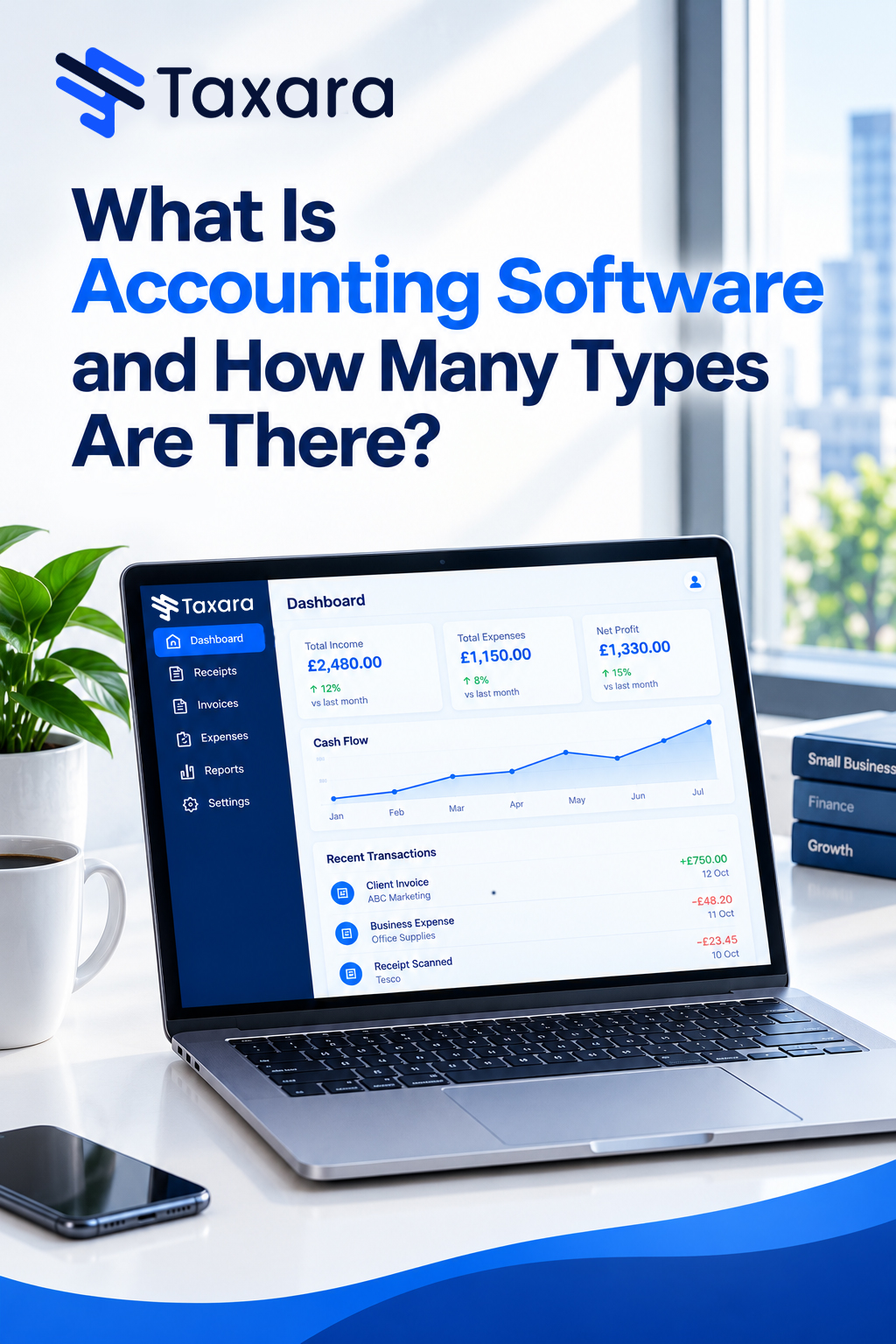
Accounting software is a digital system that records, organises and reports a business's financial transactions, replacing manual bookkeeping with automated invoicing, bank reconciliation, payroll, tax calculations and real-time financial reports. As for how many types there are, there is no single official number because the market can be classified in four ways: by function (11 types), by deployment (5 types), by automation level (4 types) and by complexity (3 types). That makes 23 recognised types in total, and a single product usually fits several of them at once, for example a cloud-based, small business package with built-in payroll and Making Tax Digital support.
This guide explains what accounting software is and each of the 23 types in plain English. It also covers pricing models, the features worth checking, how to match a type to your business, why businesses use accounting software, how it works and the questions UK owners ask most often, so you can choose with confidence.
What Is Accounting Software?
Accounting software is a computer programme or online platform that collects, records, categorises, manages and shares a company's financial information from one place. It tracks income, expenses, invoices, payroll, tax and other money-related tasks, then turns that data into reports such as the profit and loss statement (income statement), balance sheet and cash flow statement. Businesses use it to save time, keep accounts accurate and make decisions from current figures instead of year-old records.
At its core sits a general ledger built on double-entry bookkeeping. Every transaction is logged as a debit and a credit against a chart of accounts covering revenue, expenses, assets, liabilities and equity. Around that foundation, most platforms add accounts receivable, accounts payable, invoicing, bank feeds, expense management, payroll, inventory tracking, tax reporting and dashboards that measure key performance indicators (KPIs) in real time.
Core features of accounting software
Whatever the type, most accounting software includes some or all of the following:
- General ledger, chart of accounts and journal entries
- Accounts receivable, accounts payable and invoicing
- Bank feeds and automated bank reconciliation
- Income and expense tracking with receipt capture
- Financial reporting and real-time dashboards
- Tax calculations, VAT returns and Making Tax Digital support
- Payroll, PAYE and pension contributions
- Inventory and stock tracking
- Multi-user access, audit trail and data backups
- Integrations with payment gateways, e-commerce, point-of-sale and CRM tools
How Many Types of Accounting Software Are There?
The four classifications answer different questions. Function tells you what the software does, deployment tells you where it runs, automation tells you how much work it does for you and complexity tells you how advanced it is. Most buying decisions combine at least two of them.
- By function (11 types): Basic bookkeeping, general accounting, small business, invoicing and billing, payroll, expense management, tax preparation, project accounting, fund accounting, industry-specific and enterprise resource planning (ERP)
- By deployment (5 types): Cloud-based, desktop, server-based (on-premises), hybrid and open-source
- By automation level (4 types): Manual, semi-automated, fully automated and AI-enabled
- By complexity (3 types): Basic, intermediate and advanced
11 Types of Accounting Software by Function
1. Basic bookkeeping software
Basic bookkeeping software suits sole traders, freelancers and start-ups that need a simple way to record income and expenses. It is affordable, easy to learn and designed for people without an accounting background, although it usually lacks payroll or advanced tax features.
- Simple income and expense tracking
- Basic invoicing
- Cash flow overview
- Basic financial reports
- Easy-to-use interface
2. General accounting software
General accounting software is the all-round tool for businesses with straightforward finances. It handles the general ledger, accounts payable and receivable, bank reconciliation, financial reporting and basic inventory without needing extensive integrations, which makes it a cost-effective choice for standard accounting work.
- General ledger and journal entries
- Invoicing and expense tracking
- Bank reconciliation
- Standard financial reports
- Basic stock tracking
3. Small business accounting software
Small business accounting software supports growing SMEs that have outgrown basic bookkeeping. It adds payroll, VAT management, bank reconciliation, inventory tracking and detailed reporting, and it connects with banks, payment gateways and e-commerce platforms. It is scalable, so more complex financial operations can be added as the business grows. For UK companies, the right small business accounting software UK owners choose should also handle VAT, Making Tax Digital and PAYE out of the box.
- Automated payroll and VAT returns
- Bank feeds and reconciliation
- Financial and tax reporting
- Inventory and stock management
- Integration with banks and e-commerce platforms
4. Invoicing and billing software
Invoicing and billing software is built for service businesses, consultants and freelancers with a high volume of customer transactions. It generates invoices automatically, tracks payments and chases overdue accounts, and many tools handle recurring billing, client payment portals and multi-currency invoices.
- Automatic invoice generation and branded templates
- Payment tracking and reminders for late payments
- Recurring billing and time tracking
- Client payment portals
- Multi-currency and tax handling
5. Payroll software
Payroll software automates salaries, deductions and benefits. In the UK that means calculating PAYE and National Insurance, sending Real Time Information (RTI) submissions to HMRC, producing payslips and managing workplace pension auto-enrolment. It is available as a standalone app or as a module inside a wider accounting suite.
- Automated pay calculations and payslips
- PAYE, National Insurance and RTI submissions
- Pension auto-enrolment
- Employee self-service portals and leave management
- Compliance reporting
6. Expense management software
Expense management software streamlines claims, approvals and reimbursements. Employees photograph receipts and log mileage from a smartphone, managers approve spending through workflows and the data flows straight into the ledger.
- Mobile receipt capture and mileage logging
- Policy enforcement and approval workflows
- Accounting integration
- Spend analytics
7. Tax preparation and compliance software
Tax software calculates what you owe, prepares returns and submits them to HMRC. It supports VAT returns through Making Tax Digital, Self Assessment for sole traders and partnerships, Corporation Tax and, where relevant, the Construction Industry Scheme (CIS). Sole traders and landlords are now moving to quarterly updates under Making Tax Digital for Income Tax, which is being phased in from April 2026, so this category is growing fast.
- Tax calculations and estimates
- VAT, Self Assessment and Corporation Tax returns
- Direct submission to HMRC through MTD-compatible software
- Digital record keeping
- Deadline reminders
8. Project accounting software
Project accounting software tracks money by project instead of by department. Agencies, consultancies and contractors use it for budgeting and forecasting, resource costing, milestone billing, time and expense tracking and project profitability analysis.
- Project budgeting and forecasting
- Resource and job costing
- Milestone billing
- Time and expense tracking by project
- Profitability analysis
9. Fund accounting software
Fund accounting software is designed for charities, non-profits, schools and public bodies that must track money by donor, grant or restriction rather than by profit. It keeps restricted and unrestricted funds separate, supports grant tracking and encumbrance accounting, helps with Charity SORP reporting and manages donor records and Gift Aid claims.
- Fund segregation and grant tracking
- Encumbrance accounting
- Charity SORP-style financial reporting
- Donor management and Gift Aid
10. Industry-specific accounting software
Industry-specific accounting software goes beyond generic functions to match the workflows of a single sector. Construction firms use job costing, progress billing, retentions and equipment management. Retailers need inventory, point-of-sale (POS) integration and stock valuation using FIFO. Manufacturers track bills of materials and work in progress (WIP). Hospitality, healthcare and legal firms rely on tools such as time tracking, patient billing and client account management.
- Sector-specific templates and workflows
- Job and project costing
- Inventory, batch management and stock control
- Time tracking and billing
- Compliance with industry rules
11. Enterprise resource planning (ERP) software
ERP software is a comprehensive business management platform that integrates accounting with inventory, supply chain, HR, procurement and customer relationship management. Medium and large organisations with several locations, multiple entities or international operations use it to centralise data, but it is expensive and usually needs training or IT support. In return it offers advanced budgeting, forecasting, consolidation and reporting, so it works as a long-term investment.
- Centralised financial and operational data
- Advanced budgeting, forecasting and analytics
- Multi-location, multi-entity and multi-currency support
- Fixed assets, treasury and intercompany accounting
- Integration with HR, inventory and CRM systems
5 Types of Accounting Software by Deployment
Deployment describes where the software and your data live. It affects cost, security, access and how much IT support you need.
Cloud-based accounting software
Cloud-based accounting software, also called online accounting or software as a service (SaaS), runs on the provider's remote servers. You log in through a browser or mobile app from any device, work with live data alongside colleagues and your accountant, and receive automatic updates, backups and security patches as part of a monthly or annual subscription. It is the default choice for most UK small businesses, and our guide to what cloud accounting is explains how it works in detail.
- Access from any device with an internet connection
- Real-time collaboration and bank feeds
- Automatic updates and backups
- Subscription pricing
- Integrations with payroll, CRM and e-commerce apps
Desktop accounting software
Desktop accounting software is installed on a single computer and stores data locally, so it works offline. Some businesses prefer it for control, speed and stability, but you are responsible for backups, updates and security, and remote access is limited. Pricing is often a one-off licence purchase.
- Full offline access
- Local data storage
- Responsibility for backups and updates
- One-time licence fee
Server-based (on-premises) accounting software
Server-based accounting software runs on the company's own server and is shared across the office network. It offers more control over security and customisation but needs an IT team to manage it and can be costly to maintain. Large organisations with strict data policies tend to use it.
- Greater control over data and security
- Multi-user access on the internal network
- IT management required
- Higher maintenance costs
Hybrid accounting software
Hybrid accounting software combines a locally installed programme with cloud syncing. It works offline and online, makes backups easier and suits businesses moving gradually from desktop to cloud.
- Local software with cloud synchronisation
- Offline and online use
- Simpler, more secure backups
- Useful during a transition to the cloud
Open-source accounting software
Open-source accounting software is free to use and its source code is public, so businesses can modify it, add features or connect it to other systems. It suits organisations with in-house IT expertise or specific privacy needs, but set-up, customisation and maintenance can take significant time, and support usually comes from a community rather than a vendor.
- Free to use and modify
- Customisable source code
- Community or developer-based support
- Technical expertise needed
4 Types of Accounting Software by Automation Level
This grouping shows how much of the work the software does on its own.
- Manual accounting software needs every transaction to be keyed in by hand. It is low cost and suits individuals with very few transactions, but it is time-consuming and has no advanced features.
- Semi-automated accounting software calculates totals and taxes but still needs users to enter most data. It is easier than manual tools and works for growing businesses.
- Fully automated accounting software sends invoices and reminders, imports bank transactions, tracks payments and expenses in real time and reduces human error. It is best for busy owners who want minimal admin.
- AI-enabled accounting software uses artificial intelligence and machine learning to categorise transactions, detect anomalies and fraud, automate bank reconciliation, predict cash flow trends and suggest budgets. It learns from your behaviour over time and becomes more accurate.
3 Types of Accounting Software by Complexity
Complexity reflects the depth of features and the skill needed to use them.
- Basic accounting software has limited functions, an easy learning curve and affordable pricing, which suits freelancers and sole traders.
- Intermediate accounting software supports inventory, payroll and better reporting, and it suits medium-sized companies that may need some training.
- Advanced accounting software includes project tracking, budgeting, multi-entity consolidation, system integrations and high-level reporting, and it needs skilled users or training.
Which Type of Accounting Software Is Right for You?
Matching your situation to a type is the quickest way to find the best accounting software for small business owners need, because it narrows the field before you compare individual products:
- Sole traders and freelancers: Basic bookkeeping or invoicing software on the cloud, with Self Assessment and Making Tax Digital for Income Tax support
- Small businesses and SMEs: Small business accounting software that is cloud-based, with payroll, VAT, bank feeds and inventory
- Service firms and consultancies: Invoicing, time tracking and project accounting
- Retail and e-commerce: Inventory, POS and online shop integrations
- Construction and manufacturing: Industry-specific software with job costing, CIS or bills of materials
- Charities and non-profits: Fund accounting with grant tracking
- Large or multi-entity groups: ERP with consolidation and multi-currency support
How to Choose the Right Accounting Software
- Business size and complexity: Micro-businesses need invoicing and expense tracking, while larger firms need full ERP.
- Industry requirements: Retail needs inventory and POS, services need time tracking, manufacturing needs bills of materials and charities need fund accounting.
- Growth path: Choose software you will not outgrow in the next 12 to 24 months, with scalable plans and add-on modules.
- UK compliance: Check that any accounting software for small business UK you shortlist supports VAT, Making Tax Digital, PAYE and RTI, Corporation Tax and UK GDPR.
- Integrations: Confirm it connects with your bank, payment gateway, e-commerce platform, CRM and payroll.
- Security: Look for encryption, multi-factor authentication, role-based access and regular backups.
- Ease of use: An intuitive interface shortens the learning curve for people without a finance background.
- Budget and support: Compare total cost, training, customer support and whether a free trial is offered.
- Accountant access: Ask which platforms your accountant works with, since shared access makes collaboration smoother.
Why Use Accounting Software?
Freelancers and growing companies alike move away from spreadsheets and paper records because manual data entry is slow, error-prone and hard to audit. Accounting software replaces that with one reliable record that the whole business can trust. For a full breakdown of the benefits, read our guide on how accounting software helps a business.
Time savings and productivity
Automation of invoicing, payroll, bank reconciliation, payment reminders and tax filings cuts hours of manual data entry each month, leaving owners and finance teams free to review performance and plan growth.
Accuracy and fewer errors
Automatic calculations, duplicate-entry checks and standardised processes keep records clean. Accurate books strengthen compliance and credibility with banks, investors and HMRC.
Real-time financial visibility
Live dashboards show cash flow, profit, expenses, outstanding invoices and stock levels as they change, so problems such as late-paying customers surface early. Reports also make budgeting and forecasting easier.
Tax compliance and easier audits
Software keeps every transaction categorised throughout the year and prepares tax-ready reports for VAT, Corporation Tax and Self Assessment. Because all records sit in one searchable place, internal and external audits, including HMRC enquiries years later, become faster and simpler.
Security and lower storage costs
Encryption, multi-factor authentication, role-based access and automatic backups protect sensitive financial data, and digital records remove the need for filing cabinets, paper storage and the office space they take up.
Remote access and collaboration
Cloud accounting lets owners, teams and accountants reach the same live data from any device, which suits hybrid working, multiple locations and dispersed teams.
How does accounting software work?
You, or your bank feed, enter daily financial data such as sales, bills, receipts and payments. The software sorts each entry into categories like revenue, cost of sales, overheads or tax, posts journal entries to the ledger automatically and updates every report at the same moment. A small business owner can send an invoice, see when the customer pays, match the payment to the bank statement and check monthly profit without touching a spreadsheet.
Final Thoughts
Accounting software has grown from simple bookkeeping tools into full financial ecosystems. Whether you need basic invoicing as a sole trader, a cloud-based platform for a growing company or an ERP system for a multi-site group, there is a type built for the job. The right choice saves time, reduces errors, keeps you compliant with HMRC and gives you the real-time insight to make confident decisions. Start by matching your size, industry and compliance needs to the right type, then test a few options. With Taxara, you can take that step with confidence and keep your tax and accounting organised from day one.
Frequently Asked Questions
What is accounting software?
Accounting software is a computer programme or online platform that records and manages a company's financial transactions, including income, expenses, invoices, payroll and tax. It automates bookkeeping and reporting so businesses can save time and keep accurate records.
How many types of accounting software are there?
There are 23 recognised types across four classifications: 11 by function, 5 by deployment, 4 by automation level and 3 by complexity. One product often fits more than one type.
What are the main types of accounting software?
The most common are basic bookkeeping, general accounting, small business accounting, invoicing and billing, payroll, expense management, tax, project accounting, fund accounting, industry-specific software and ERP systems.
What is the difference between cloud and desktop accounting software?
Cloud accounting software runs online on a subscription, updates automatically and can be accessed from any device. Desktop software is installed on one computer, works offline and is usually bought with a one-off licence, but you manage backups and updates yourself.
What is the difference between ERP and accounting software?
Accounting software focuses on financial tasks such as invoicing, reconciliation and reporting. ERP software integrates accounting with inventory, supply chain, HR and CRM on one platform, and it is aimed at larger organisations with complex needs.
Which type of accounting software is best for small businesses?
Most small businesses do best with cloud-based small business accounting software that includes invoicing, bank feeds, VAT, payroll and reporting. Sole traders and freelancers may only need basic bookkeeping or invoicing tools.
Does accounting software help with Making Tax Digital?
Yes. MTD-compatible accounting software keeps digital records and submits VAT returns directly to HMRC, and it is increasingly used for quarterly Income Tax updates. Always check that the software supports the specific MTD service you need.
Does accounting software make audits easier?
Yes. Records are stored in one searchable place with an audit trail, so internal and external audits, including HMRC enquiries about earlier years, are quicker and less stressful.
Can accounting software replace an accountant?
Usually not. Software handles data entry, calculations and reporting, while an accountant provides tax planning, strategic advice and compliance support. Clean digital records make their work faster and can lower your fees.
Never stress again
Never be late again
Never waste time
.png)

On time.
In shape.
Taxara keeps your finances in shape and always on time - with just a few simple taps and clicks.
Try for free
Simple.
Affordable.
Taxara comes with a free plan, and the premium one starts from £6.99 - about the same as your daily coffee.
Try for free
Your time.
All yours.
Win back your time and focus on what you love most - let Taxara’s AI take care of the rest.
Try for freeGot questions?

Save time for what matters most - with Taxara
Taxara Ltd. 273/275 Wilmslow Road, Manchester, England
info@taxara.co.uk
support@taxara.co.uk
.png)
.png)
.png)


.png)