AI Invoicing App for Freelancers in the UK: What to Look For in 2026

.png)
Composed by Taxara on
22/6/2026
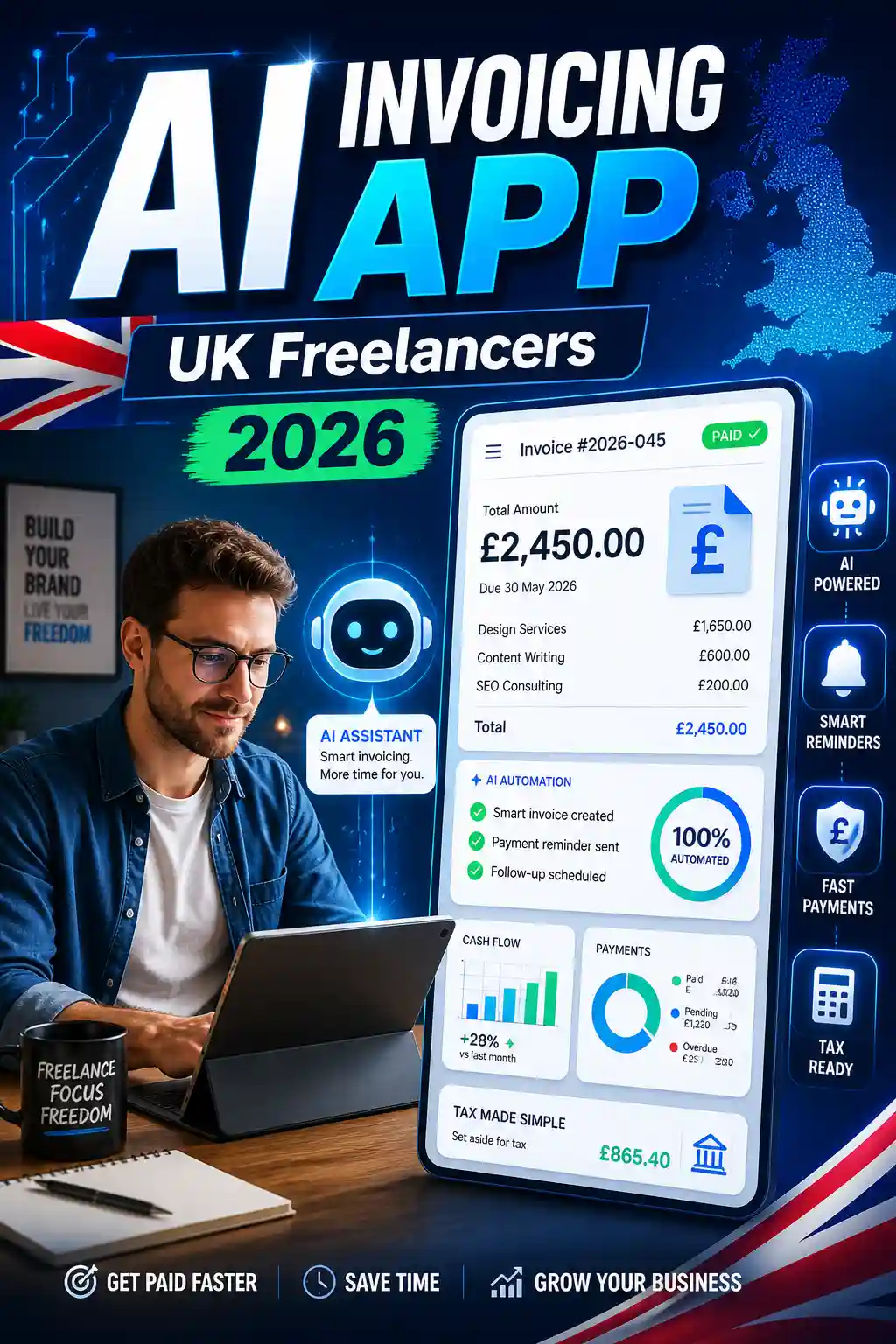
Freelancing in the UK is changing fast. In 2026, sending a basic PDF invoice is no longer enough for many self-employed professionals. Freelancers now need tools that help them create invoices, chase late payments, track expenses, prepare for tax, and keep digital records in one place. That is where an AI invoicing app like Taxara can make everyday admin much easier.
For UK freelancers, the timing matters. Making Tax Digital for Income Tax starts from 6 April 2026 for sole traders and landlords with qualifying income over £50,000. The threshold then drops to £30,000 from April 2027 and £20,000 from April 2028. Under MTD, affected users need software that can keep digital records and send updates to HMRC.
So, if you are a designer, developer, copywriter, consultant, marketer, tutor, photographer, or virtual assistant, choosing the right invoicing app is not just about making invoices look professional. It is about saving time, getting paid faster, and keeping your business records ready for UK tax rules.
What Is an AI Invoicing App?
An AI invoicing app helps freelancers create, send, manage, and track invoices with less manual work. Instead of typing the same client details again and again, the app can remember clients, suggest invoice details, automate reminders, match payments, and organise income records.
A good AI invoicing tool can help with:
TaskHow AI HelpsCreating invoicesGenerates invoices from saved clients, services, or projectsChasing paymentsSends automatic reminders before and after due datesTracking incomeShows paid, unpaid, and overdue invoicesManaging expensesHelps categorise receipts and business costsCash flow planningGives a clearer view of expected money coming inTax preparationKeeps records organised for your accountant or tax return
For freelancers, this means less time doing admin and more time doing paid work.
Why UK Freelancers Need Smarter Invoicing in 2026
Many freelancers start with spreadsheets, Word templates, or simple invoice makers. These can work in the early days, but they become harder to manage as your client list grows.
You may forget to send an invoice. A client may miss a payment date. A receipt may get lost. Your accountant may ask for records that are spread across emails, bank statements, and folders. These small problems can become stressful near tax deadlines.
In 2026, UK freelancers should look for invoicing software that supports a more complete workflow. It should help with invoices, expenses, payment tracking, VAT where needed, and digital records.
The UK VAT registration threshold is currently £90,000 in taxable turnover over a rolling 12-month period, so freelancers close to that level should also choose software that can handle VAT properly.
Manual Invoicing vs AI Invoicing App
FeatureManual InvoicingAI Invoicing AppInvoice creationSlow and repetitiveFast and automatedClient detailsEntered manuallySaved for future usePayment remindersYou chase clients yourselfReminders can be automatedExpense recordsOften separateCan be tracked in one placeTax preparationMore manual workCleaner digital recordsError riskHigherLower with automationCash flow viewLimitedEasier to understand
Manual invoicing may look simple, but it often costs more time than freelancers realise. AI invoicing software can reduce repeat work and help you stay more organised.
Key Features to Look For in an AI Invoicing App
1. Invoice Automation
The first thing to check is how quickly the app lets you create and send an invoice. A good app should let you save client details, add services, set payment terms, and generate invoices in a few clicks.
Look for features like recurring invoices, reusable templates, automatic invoice numbers, due dates, and saved payment details. These small features save a lot of time when you work with repeat clients.
Taxara covers these essentials, and you can explore the full AI invoicing features to see how it supports freelancers with invoice creation, automation, and finance tracking.
2. HMRC and MTD Readiness
A UK-focused invoicing app should help you keep clean digital records. This is especially important if you are affected by MTD for Income Tax.
Under MTD, affected sole traders need software that can create, store, and correct digital records of income and expenses, send quarterly updates to HMRC, and support tax return processes.
If you want a deeper guide, read Taxara’s blog on Making Tax Digital requirements.
Even if you are below the MTD income threshold today, choosing software with digital record-keeping now can help you avoid a rushed switch later.
3. UK VAT Support
Not every freelancer is VAT registered, but your software should be ready if your business grows.
A good AI invoicing app should support VAT invoice templates, VAT calculations, VAT rates, VAT summaries, and clear reporting. This matters because once you register for VAT, your invoices need to show the correct VAT information.
Freelancers who work with larger clients may also be asked for professional VAT-ready invoices, so having the right setup early can make your business look more serious.
4. Smart Payment Reminders
Late payments are one of the biggest problems for freelancers. You complete the work, send the invoice, and then wait. Sometimes clients forget. Sometimes they delay. Sometimes you feel awkward sending follow-up emails.
An AI invoicing app can make this easier by sending polite reminders automatically. It can remind clients before the due date, follow up after the due date, and show which invoices are still unpaid.
This helps freelancers protect their cash flow without spending hours chasing payments.
5. Expense Tracking and Receipt Capture
Invoicing is only one part of freelance finance. You also need to track business expenses such as software subscriptions, equipment, travel, phone bills, internet costs, professional services, and office supplies.
If you are a sole trader looking beyond invoicing, this guide to the best tax app for sole traders can help you understand what to look for in a wider tax tool.
A strong app should let you upload receipts, categorise expenses, match costs with bank transactions, and export reports when needed.
6. Bank Integration
Bank feeds can save a lot of time. Instead of checking your account manually to see who has paid, the app can help match payments to invoices.
This is useful because freelancers often work with several clients at the same time. You may have one client paying weekly, another paying monthly, and another paying after 30 days. Bank integration helps you keep track of what has arrived and what is still pending.
7. Mobile Access
Freelancers do not always work from a desk. You may be meeting a client, travelling, working from a café, or finishing a job on-site. A mobile-friendly invoicing app lets you create, send, and check invoices wherever you are.
Taxara is built for freelancers who want simple mobile access, and the app is available on iOS and Android, so you can manage invoices on the go.
8. Client and Project Management
If you work with multiple clients, you need more than invoice templates. You need a way to organise client details, project names, payment terms, invoice history, and notes.
This is especially helpful for freelancers who offer both hourly and fixed-price work. For example, a web developer may charge one client a fixed project fee and another client a monthly support fee. The right app should support both.
9. Security and GDPR-Friendly Data Handling
Invoices include personal and business information, such as names, addresses, email addresses, payment details, and sometimes tax details. Your invoicing app should take security seriously.
Look for secure login, encrypted data, regular backups, clear privacy policies, and two-factor authentication where available. For UK freelancers, GDPR-friendly handling is also important because client data must be treated responsibly.
Must-Have vs Nice-to-Have Features
Must-Have FeaturesNice-to-Have FeaturesProfessional invoice templatesAI writing suggestionsAutomatic invoice numbersClient payment predictionsPayment remindersProposal creationExpense trackingTime trackingVAT supportMulti-currency supportMTD-ready recordsProject profitability insightsBank integrationAdvanced reportsMobile accessCustom dashboards
Start with the must-have features. Then look at the nice-to-have features based on your freelance work.
How Much Should Freelancers Pay for an AI Invoicing App?
The cheapest app is not always the best choice. A free tool may be enough if you only send one or two invoices a month. But if you handle multiple clients, expenses, tax records, and overdue payments, you may need something more complete.
When comparing cost, think about the time saved. If an app saves you two or three hours each month, helps you avoid missed payments, and keeps records ready for your accountant, it can easily be worth the monthly fee.
Freelancers should look for simple plans, no confusing extras, and clear upgrade options. Taxara keeps things straightforward with transparent pricing, which makes it easier to compare the value before choosing a plan.
Is Taxara Right for UK Freelancers?
Taxara is built for freelancers and self-employed people who want a simple way to manage invoices, tax records, expenses, and business admin. It is especially useful if you want a UK-focused tool instead of a generic invoice maker.
It can help if you:
You NeedWhy It MattersFaster invoicingSpend less time creating invoices manuallyPayment trackingSee what is paid, unpaid, or overdueTax-ready recordsKeep income and expenses organisedMobile accessManage invoices away from your deskSimple pricingAvoid confusing software costs
Freelancers often ask about VAT, MTD, app setup, and UK tax handling. Taxara has common questions answered if you want to check details before getting started.
Common Mistakes to Avoid
Many freelancers choose invoicing software too quickly. They pick the cheapest option, then later realise it does not support VAT, does not track expenses, or does not help with digital records.
Avoid these mistakes:
MistakeBetter ApproachChoosing only by priceCompare time-saving and tax featuresIgnoring MTDPick software that supports digital recordsForgetting VATChoose a tool that can grow with your businessUsing spreadsheets foreverMove to a proper system before things get messyNot checking mobile accessMake sure you can invoice on the goSkipping payment remindersUse automation to reduce late payments
The right app should support how you actually work, not just create a nice-looking invoice.
Final Thoughts
In 2026, the best AI invoicing app for UK freelancers is not just an invoice generator. It should help you create invoices quickly, track payments, manage expenses, prepare digital records, and stay ready for UK tax changes.
For freelancers, time is money. Every hour spent fixing spreadsheets, chasing payments, or searching for receipts is an hour you could spend serving clients or growing your business.
If you want a simple UK-focused invoicing tool built for freelancers, you can try it free and see how Taxara fits your workflow.
Never stress again
Never be late again
Never waste time
.png)

On time.
In shape.
Taxara keeps your finances in shape and always on time - with just a few simple taps and clicks.
Try for free
Simple.
Affordable.
Taxara comes with a free plan, and the premium one starts from £6.99 - about the same as your daily coffee.
Try for free
Your time.
All yours.
Win back your time and focus on what you love most - let Taxara’s AI take care of the rest.
Try for freeGot questions?

Save time for what matters most - with Taxara
Taxara Ltd. 273/275 Wilmslow Road, Manchester, England
info@taxara.co.uk
support@taxara.co.uk
.png)
.png)
.png)


.png)